
Siddhify Release Note – March 2025
We’re thrilled to bring you the latest enhancements in Siddhify! Each month, we strive to improve your experience. Here’s what’s new in this March 2025 release:
Web app layout and functionalities
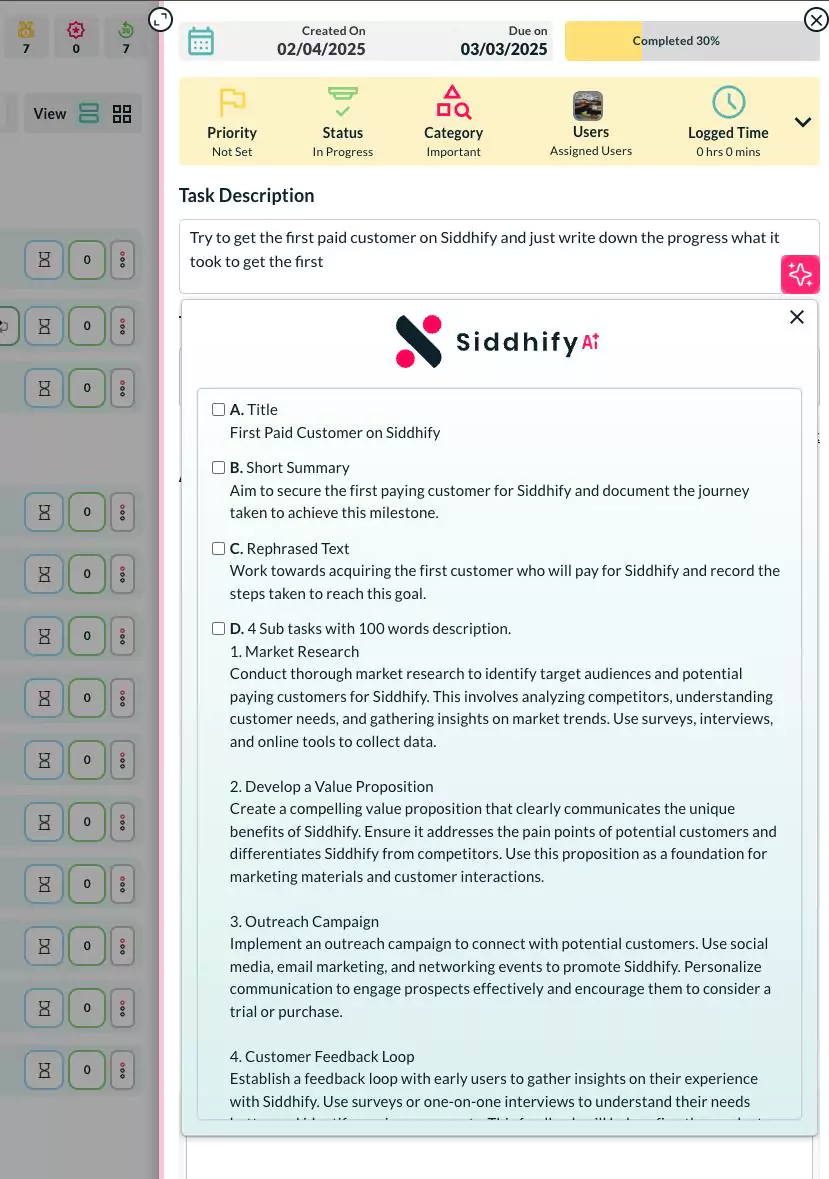
- Suggest everything – a very useful feature on the task interface. When you put some description on the task and click on AI – Suggest everything, it suggests you an enhanced description, title suggestion, sub tasks and lots of other important information. This saves a lot of time entering all these details manually.
- Net worth changes –
a. Add bucket option on the net worth interface.
b. A progress bar for the bucket so you know how much progress you have made regarding that financial target.
c. New pie chart for net worth assets and liabilities.
d. Download as PDF option to download the content of Net worth page.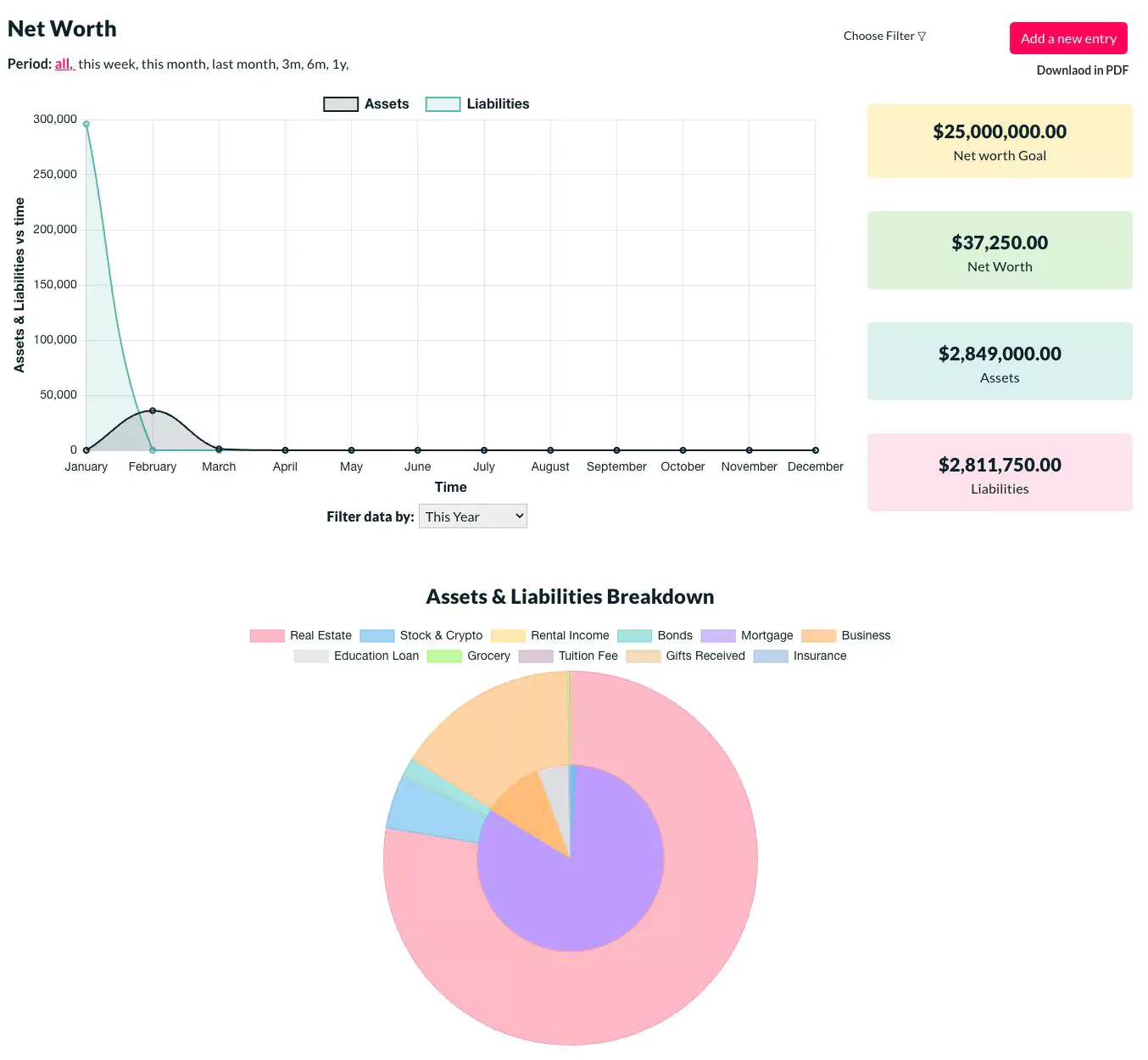
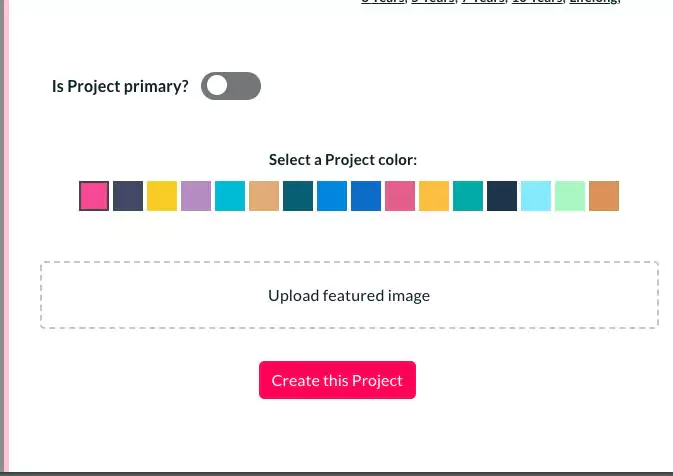
- Dream color codes – added more color option for dreams.
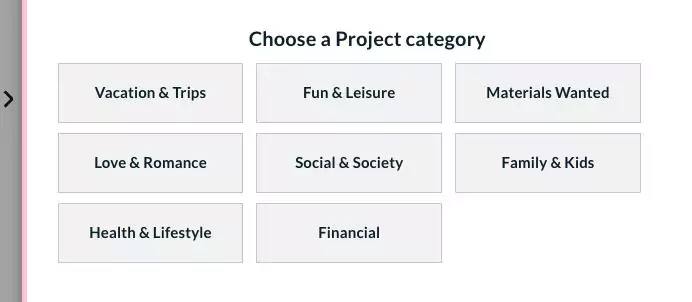
- Adjusted the width and height of the dream category boxes on the dream detail interface.
- Swapped dream title and description. Earlier the description was coming first.
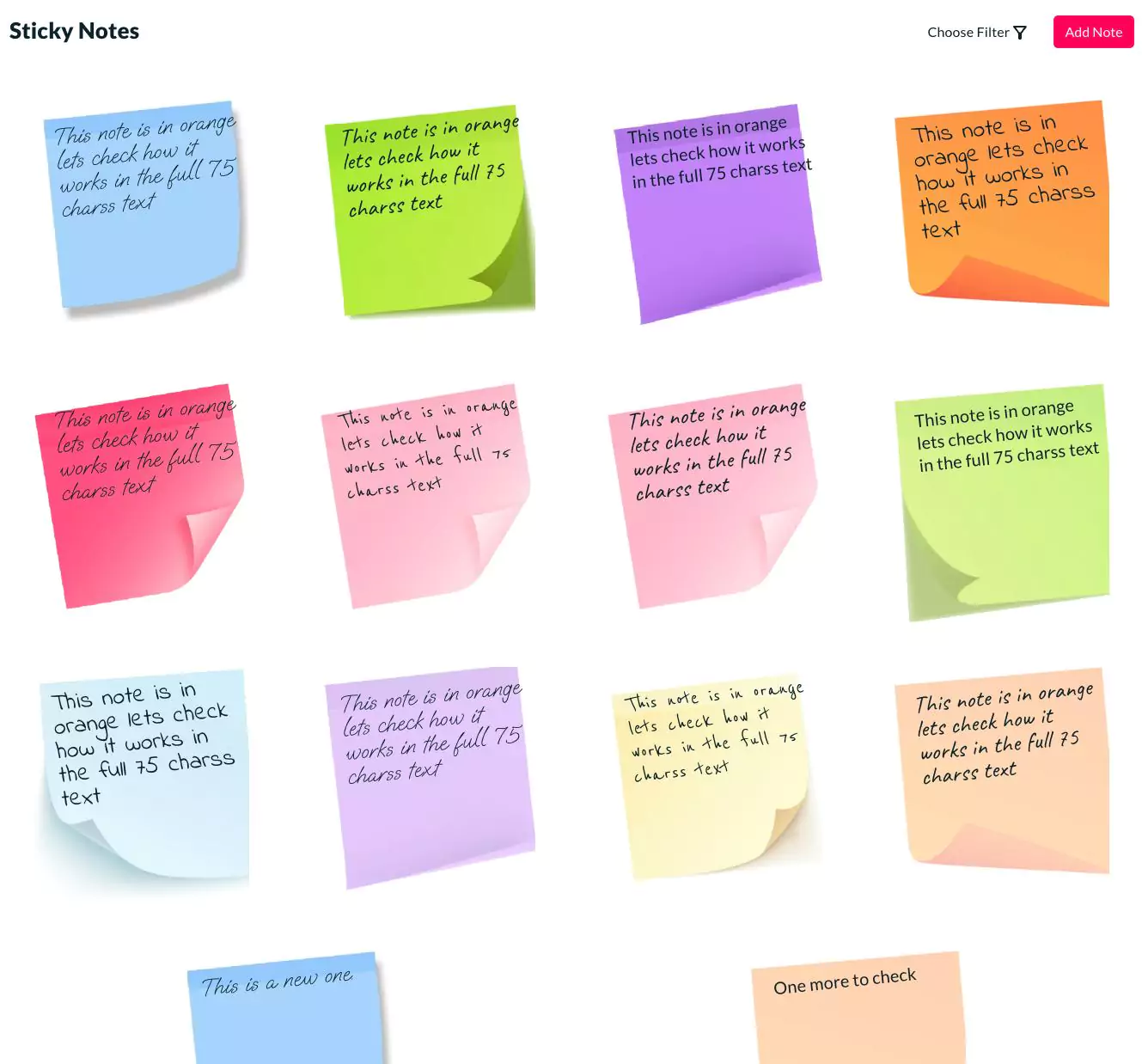
- Sticky Notes – new module where users can put quick sticky notes and show them on the app wall. You can also select a date and remind me option to remind you on the particular date. When the date comes, it will show you the sticky as a small banner on the task interface which is easily recognizable. It gives you lots of color for the sticky notes to choose from. A character counter to show you character counter. You are allowed to add max 75 characters text in your sticky notes for now.
- Doc’s module changes –
a. A new hierarchy for the folders.
b. Updated the title
c. Document name is editable
d. UI changes on the folder listing, doc listing and doc detail page.
e. AI button inclusion and important AI related features to enhance the content.
f. Assign dream to the docs.
g. Enhanced action buttons on the document listing page. - Minor UI changes on the left-hand category stripes in the task listing page.
- Calendar filters improved.
- Support – implemented the new field for the ticket system called “Type” which has your enquiry type to select from. Showed the time of the response to users. Enhanced the ticket interface.
- Add Portuguese (Brazilian) language to the app.
- Kaizen module enabled for sub users also.
- Users can add custom Kaizen values in the system for their use.
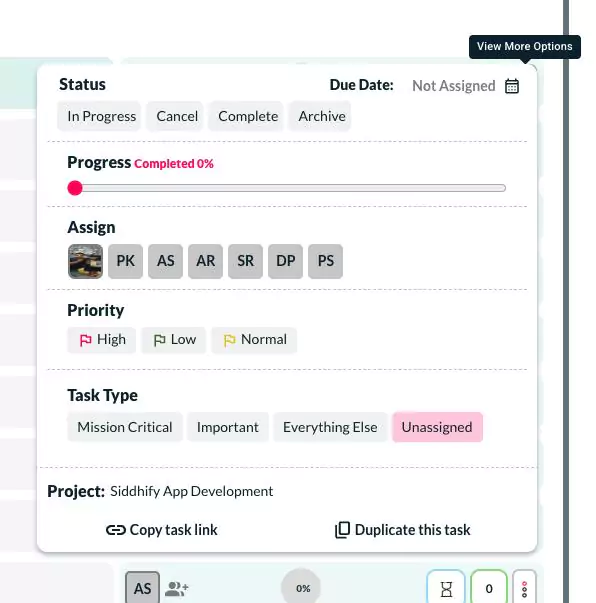
- Duplicate task feature – now a user can copy and duplicate a task. When duplicated, the task title, description, users, attachments and some other important information will be duplicated.
- The option is to rename the “Dream” module to anything a user wants. Earlier some users requested that they should have an option to rename dream to “Project” and “Projects” which looks more professional. We have given this option under settings to rename it to anything.

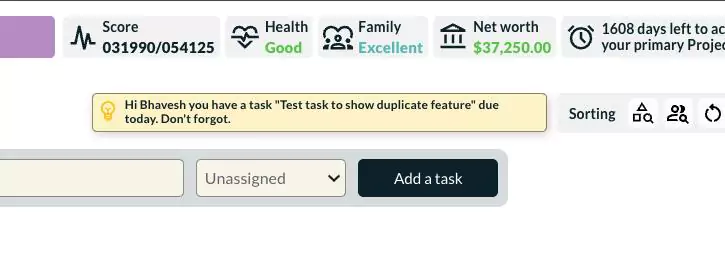
- Remind me – task remind me feature now also shows the link in the remind me banner so a user can click and see which task is this. More color options for the remind me banners.
- Subtasks on all the interfaces are clickable now.
- Task comments can be edited now. If the task comment is placed on the same day, it can be edited.
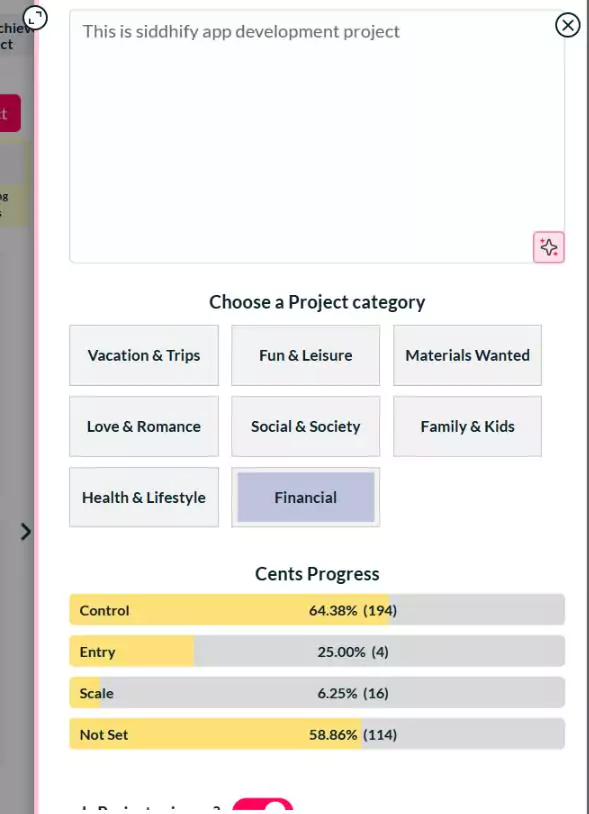
- CENTS – now CENTS show progress bar on the dream page. Now you know what the weightage of your CONTROL, ENTRY, NEED, TIME, and SCALE weightage on your project is. It is only available for your primary project.
- Global filter improvements.
- Timeline module – fixed small issues and handled some enhancements like responsiveness etc.
- Settings – UI enhancements. Also, we added help text wherever needed.
- Task interface – we have removed the “Load more” button from the task list and made it infinite. Now, you can keep scrolling until you see the last task.
Mobile layout and functionalities
- Various UI changes to make the app more user friendly on mobile browsers.
Bug fixes and stability enhancements
- Focused task – the blue background was removed in our last update. Fixed it.
- Hid daily status popup for the first time logged in users.
- Fixed the message on the interface when no AI token is available to perform AI related operations.
- Time log – on the task interface, under the time log, if nothing is logged, showed a message “Sorry! No time log is available for this task.”
- On my account page, the user profile photo shows broken when nothing uploaded. Fixed it.
- The top bar of the app was not responsive on many devices. Fixed it.
- Task duplicate tags related issue fixed.
As always, we’re dedicated to enhancing your productivity and life management. Don’t hesitate to reach out with any questions or feedback!