
Sub user
Sub User: Manage Your Team with Ease
What is a Sub User in Siddhify?
Managing a team can be challenging, especially when tasks pile up and responsibilities are unclear. With Siddhify’s Sub User feature, you can assign specific tasks, streamline workflows, and ensure seamless collaboration without compromising privacy. Available on premium or higher plans, this feature allows you to delegate work effectively, helping your team stay organized and productive.
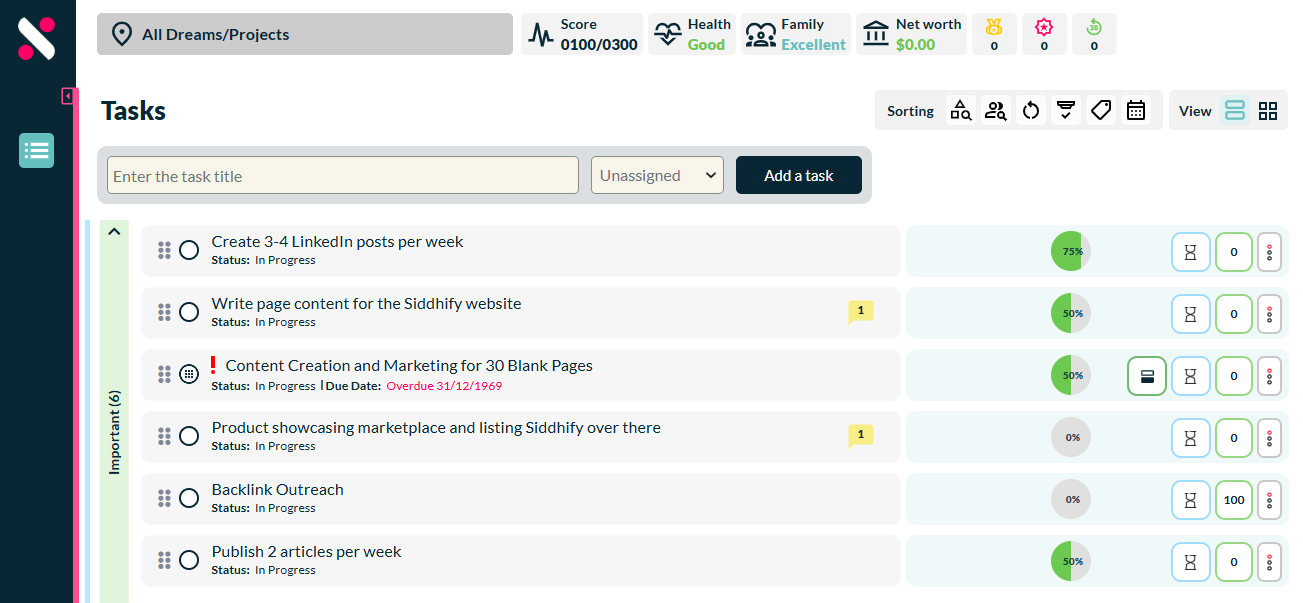
Why Use the Sub User Feature?
Many entrepreneurs and small teams struggle with task delegation and workflow clarity. Without a proper system, team members might feel overwhelmed, miss deadlines, or lack access to essential tools. Siddhify’s Sub User feature solves these challenges by:
✅ Improving Collaboration – Assign tasks and track progress in real-time.
✅ Enhancing Privacy – Sub users see only their assigned tasks and settings.
✅ Increasing Efficiency – Automate and organize work without micromanaging.
✅ Customizing Workflows – Sub users can now create repeat tasks and subtasks, empowering them to structure their work better.
How to Add and Manage Sub Users
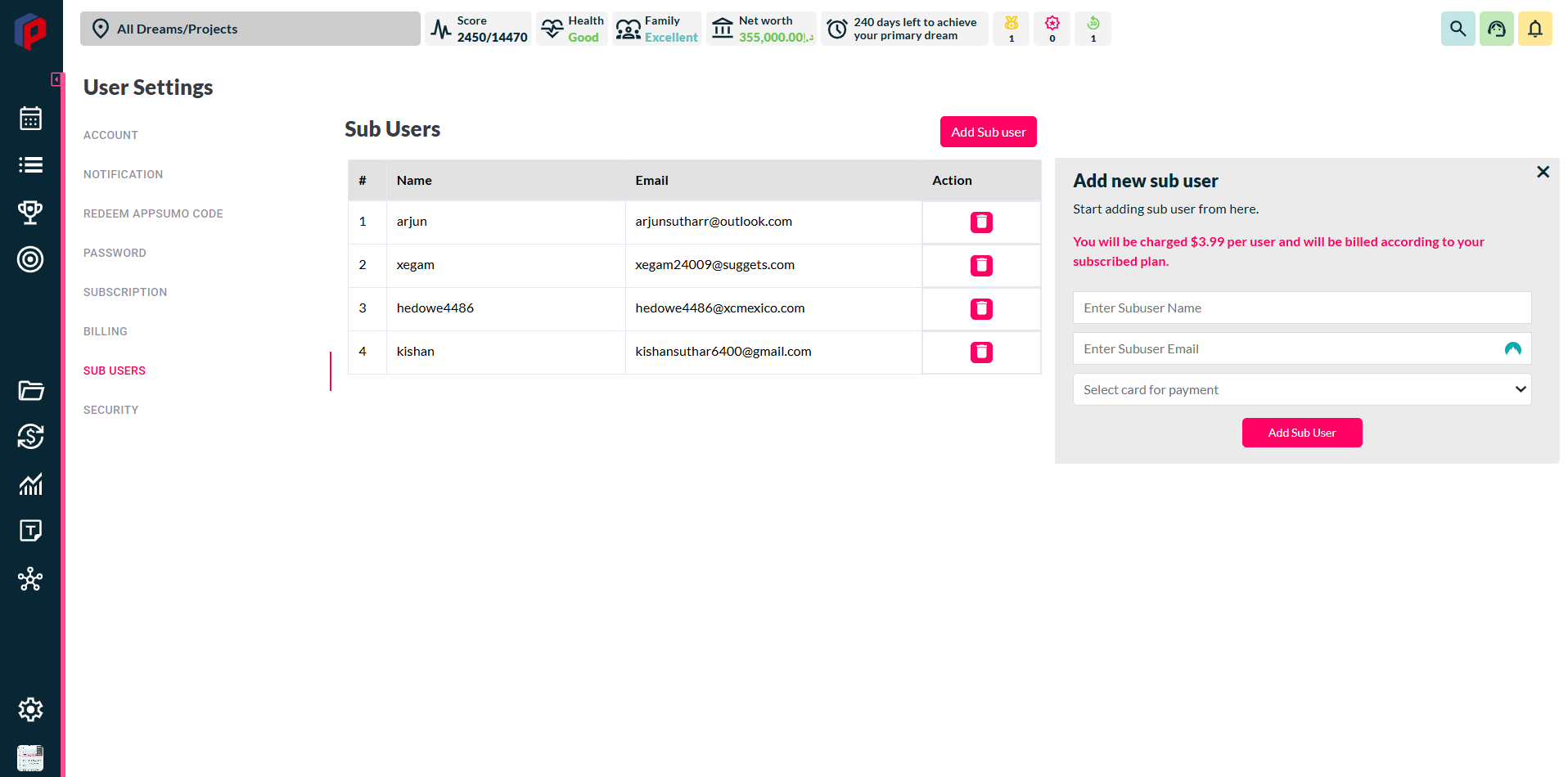
- Go to My Profile – Navigate to the My Account, then Sub User section.
- Click “Add Sub User” – Enter the Sub User’s name and email.
- Save & Invite – The user will receive an email to join your workspace.
Recent Enhancements for Sub Users
✔ Sub users can now create repeat tasks and subtasks – Previously restricted to parent users, now all users can organize work as needed.
✔ Enhanced task grid view for sub users – The grid view is now fully functional, ensuring smooth navigation.
✔ Calendar access for sub users – All users can now view the dashboard calendar, clarifying scheduling and deadlines.
Get Started Today!
Siddhify makes team management effortless. Start using Sub User today and experience seamless collaboration!