
Siddhify Release Note – December 2024
Siddhify Release Note – December 2024
We’re excited to share the latest updates in Sidhhify! Every month, we work to make your experience even better. Here’s what’s new in this month’s release:
New Features
- Slack Integration: Parent users can integrate a Slack channel with their Siddhify account to push updates and activities directly to Slack.
- Task Share Feature: Added a “more options” button and task right-side tab to generate a shareable task link.

- AI Implementation on Tasks: Revolutionary AI features for task creation, including rephrasing, summarizing, grammar correction, sub-task creation, title suggestions, and more.
New AI button is present on the task description box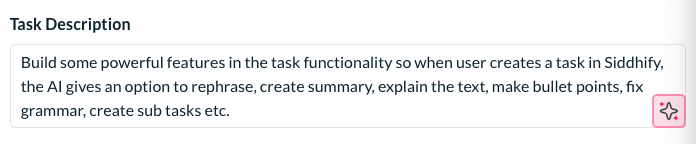
AI button offers great features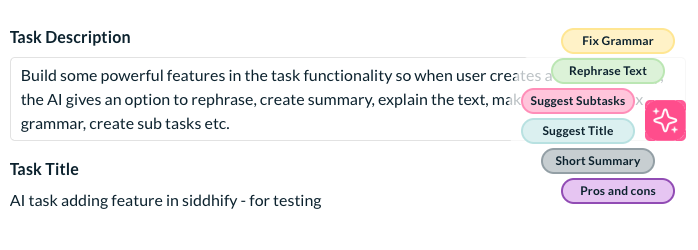
When grammar feature applied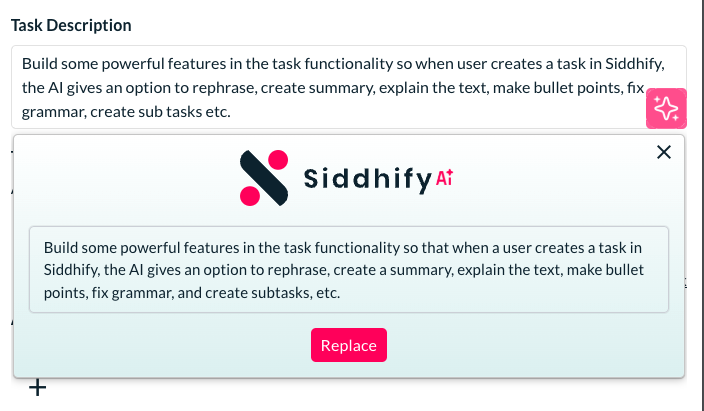
When rephrase task option is applied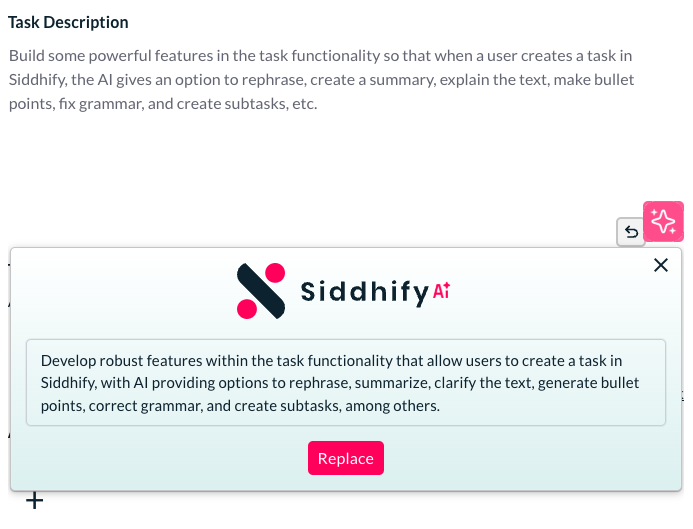
when suggest sub tasks feature is applied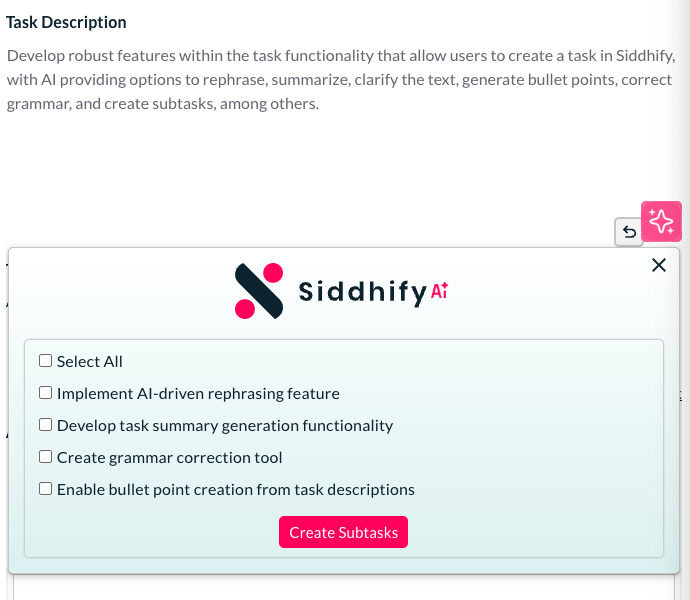
Sub tasks created through AI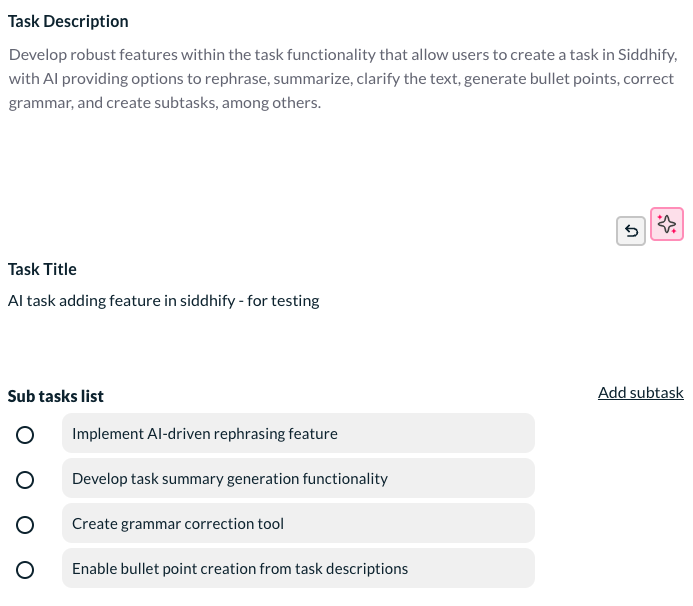
Task title suggested by AI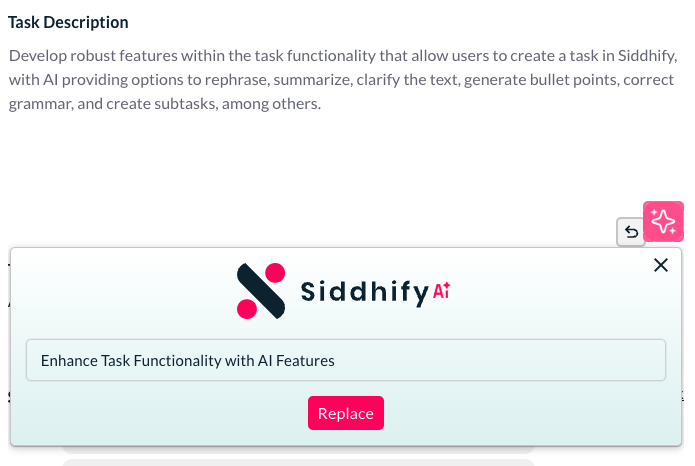
When short summary feature is applied with AI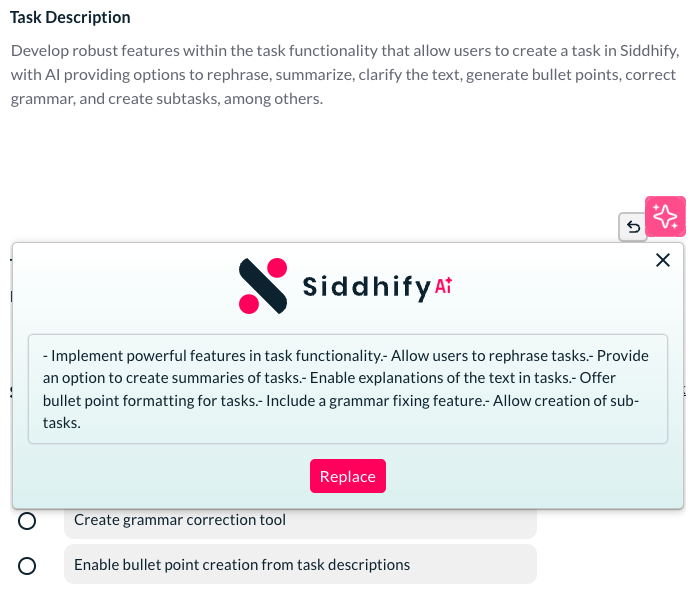
When Pros and Cons feature applied by AI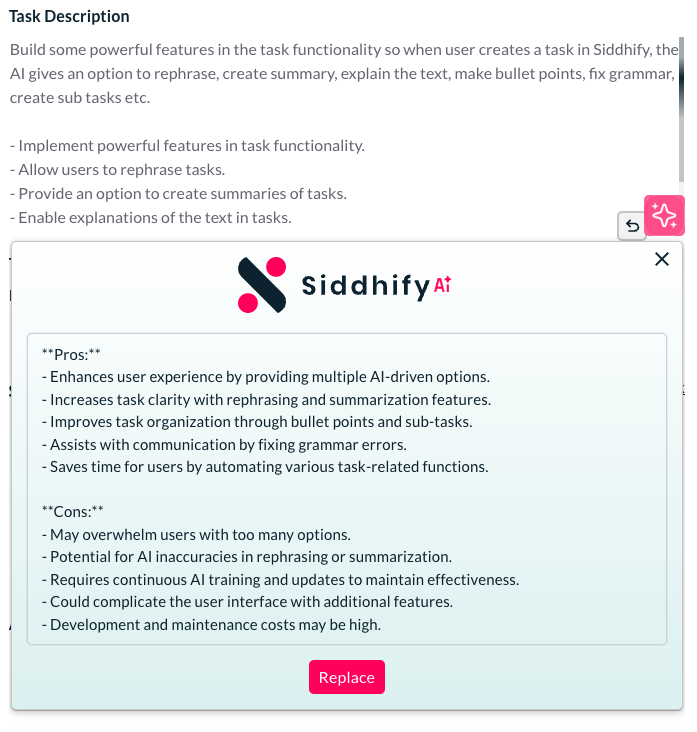
- AI Implementation on Goals: AI-enabled features for goals, such as creating sub-tasks and rephrasing.
The AI feature on the goals interface helps you create sub tasks or rephrase a task.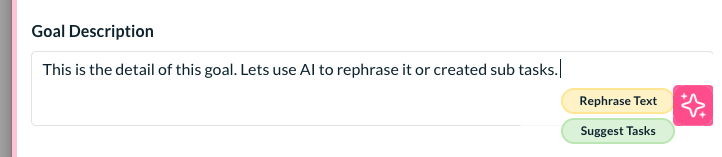
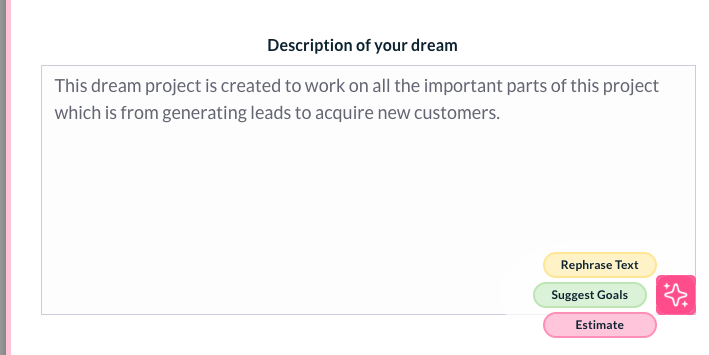
- AI Implementation on Dreams: AI features for dreams/projects to rephrase text, suggest goals, and estimate expenditures.
The new AI feature introduced on the dream/ project helps you rephrase the text, suggest some goals or show you the estimated expenditure.
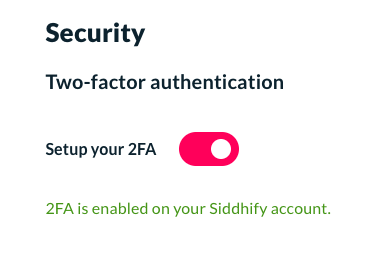
- Security – force user to setup 2FA: Forcing users to set up their 2fa authentication to make their account more secure.
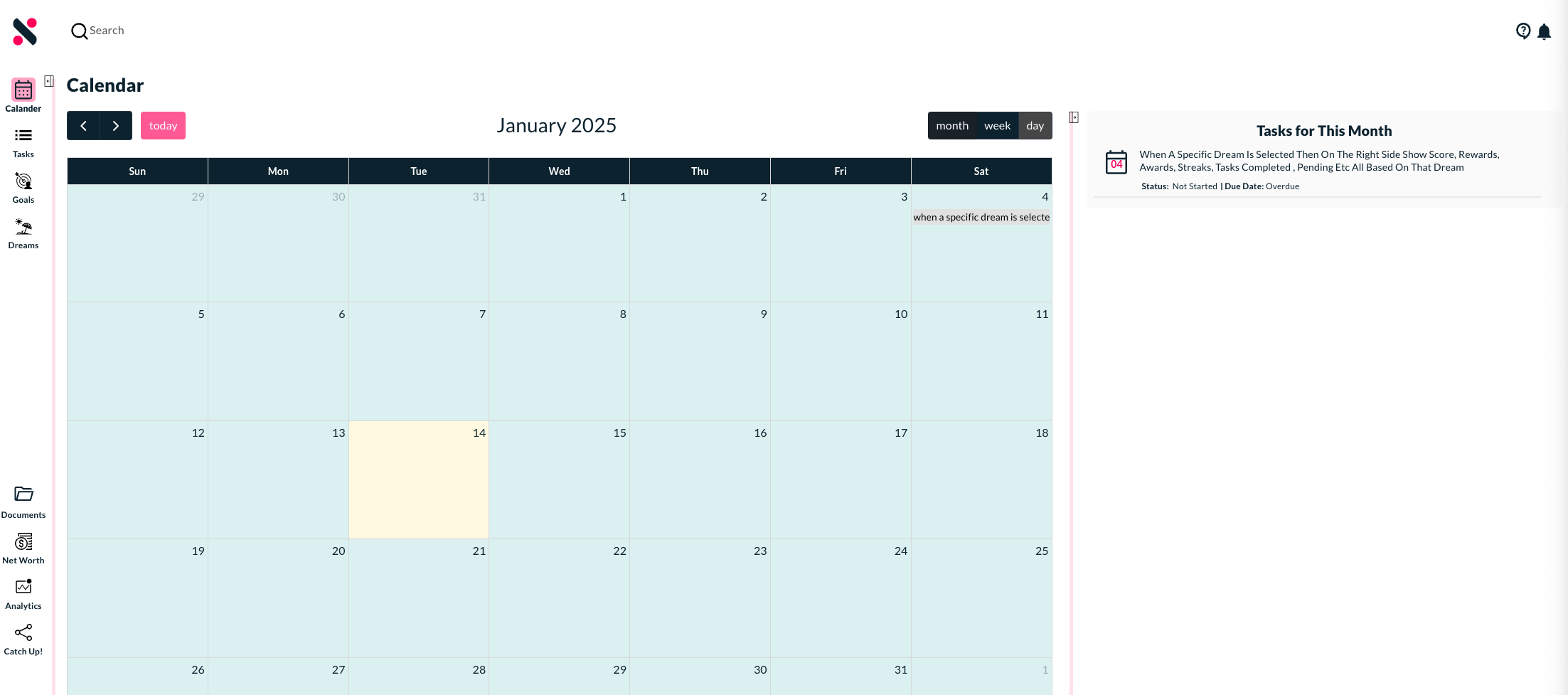
- New Calendar Feature: A dedicated calendar interface in the main navigation for tasks filtered by users and dates.
- AI-Powered Reports: Intelligent reports (daily, weekly, monthly, quarterly, six-monthly, yearly) for paid users.
New reporting system for the paid users to send the AI powered intelligent reports on daily, weekly, monthly, quarterly, six monthly and yearly bases. - Daily self-assessment form to give you in-depth result of your personal progress
This new status update form helps to gather some personal performance and mindset related data for you every day. Later we will put intelligence into this to analyze properly and give you decision-making suggestions.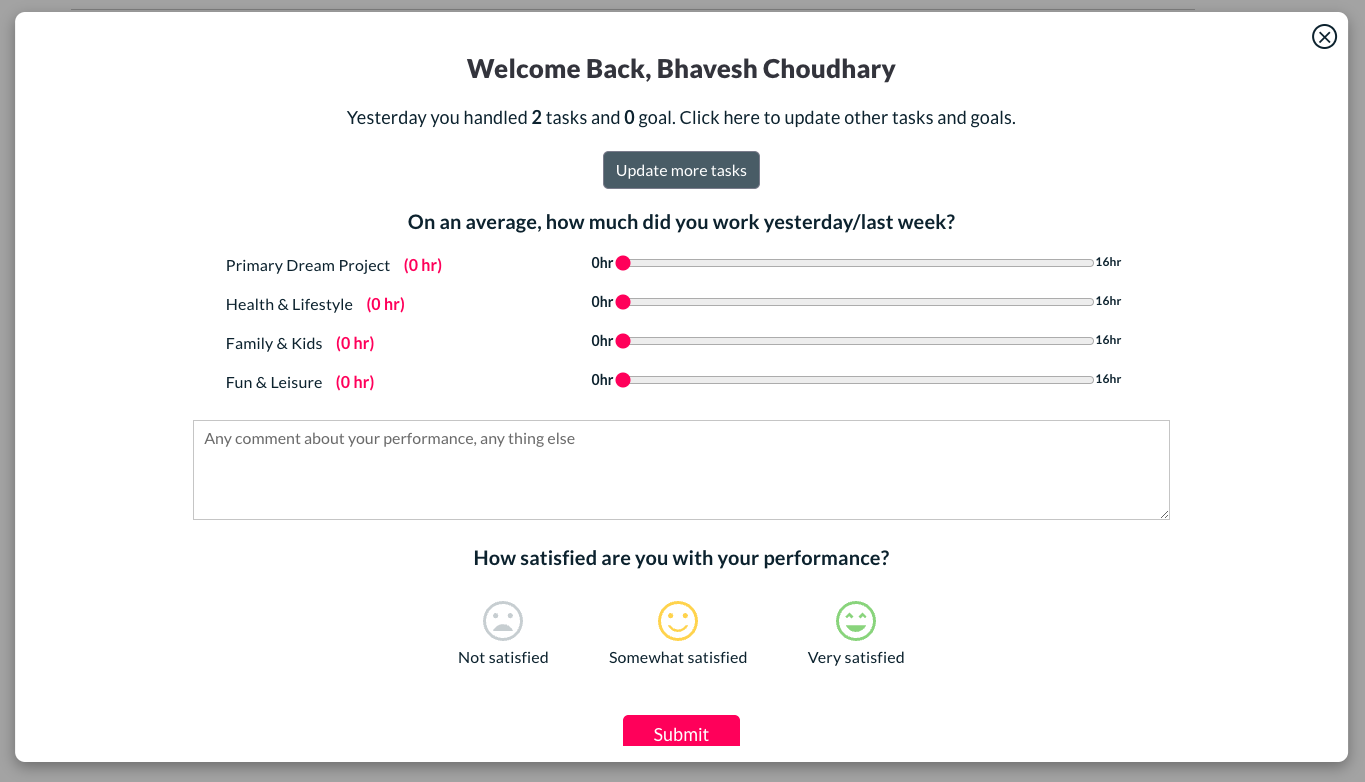
- New onboarding feature to make your Siddhify account more personalized
We have implemented new onboarding screens when a new user is added to Siddhify. This helps us get some important information from the user to personalize his Siddhify account and also help users to understand the system and generate some quick tasks, goals and dreams. - Hovering on hourglass now gives an option to add time on task listing page
Now you have an option to hover on the hourglass and add time against that task.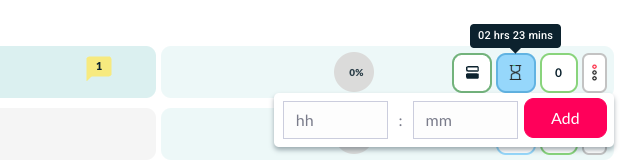
Improvements
- Task Interface Redesign: New UI features, task tab redesigned After getting lots of suggestions and feedback from our users, we have given deep thought to redesigning the task tab which will help users to work on the tasks in a quicker and more interactive way with a smoother design and with a beautiful layout.
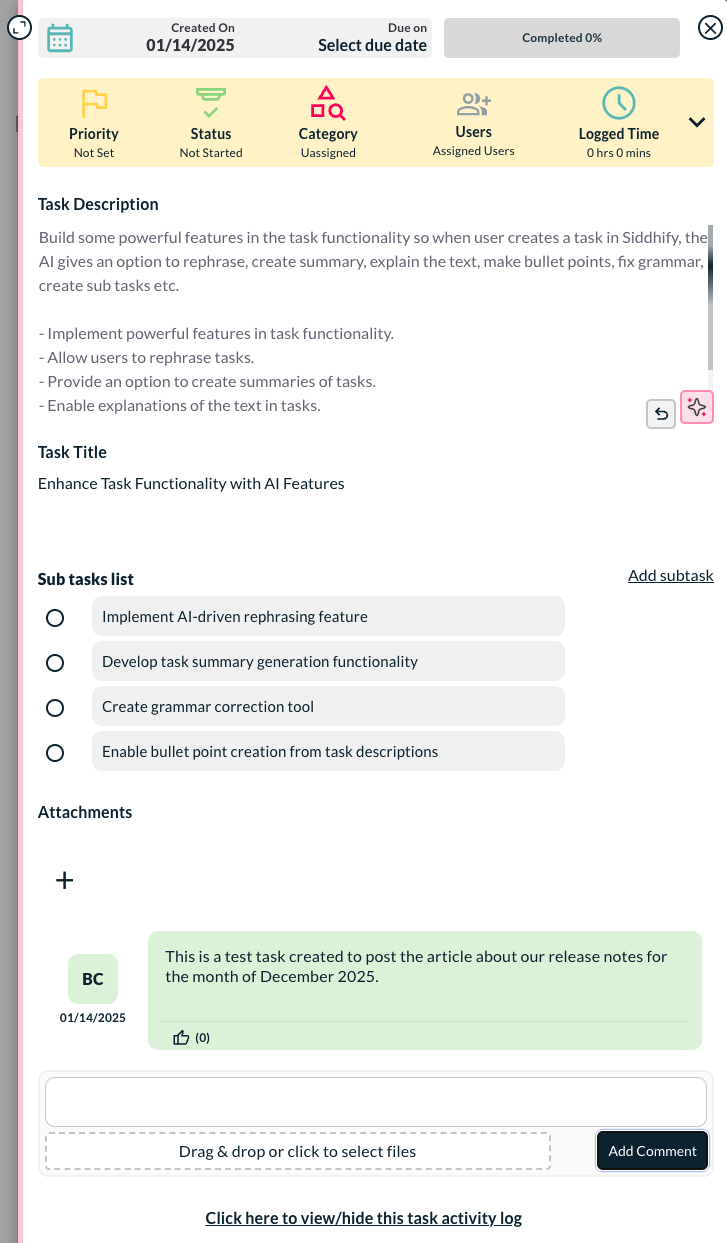
The new task tab interface has the created date and due date on the top along with the task completion percentage to let user know how soon the deadline is coming or how much progress has been made.
Next to that we have a section to show all the important action options for the task. For example, you can see what priority the task is assigned, what is the exact status of the task, which category it is assigned to, which users it is assigned to, the logged time, etc. It also has the option to extend the section to see more options quickly.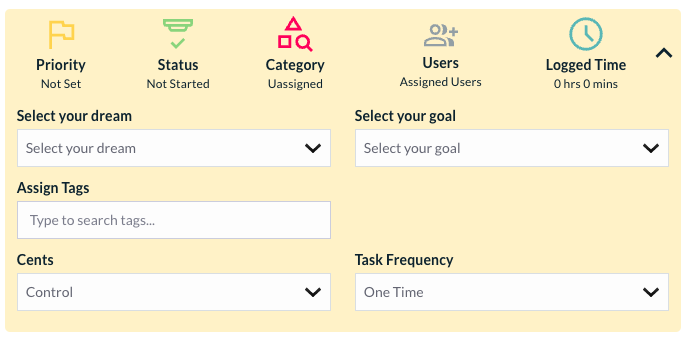
The attachment section made more cleaner and simpler to add attachments to a task.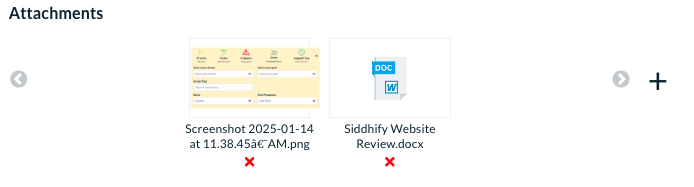
- Enhanced Expanded Task Window: Redesigned layout that remembers the user’s preferred view.
The new enhanced expanded window is a wow for users who spend so much time working on different tasks throughout the day. The expanded window has categorized important action options, important data presentation and then the other things all in a beautifully designed way. Here is a snapshot of the interface.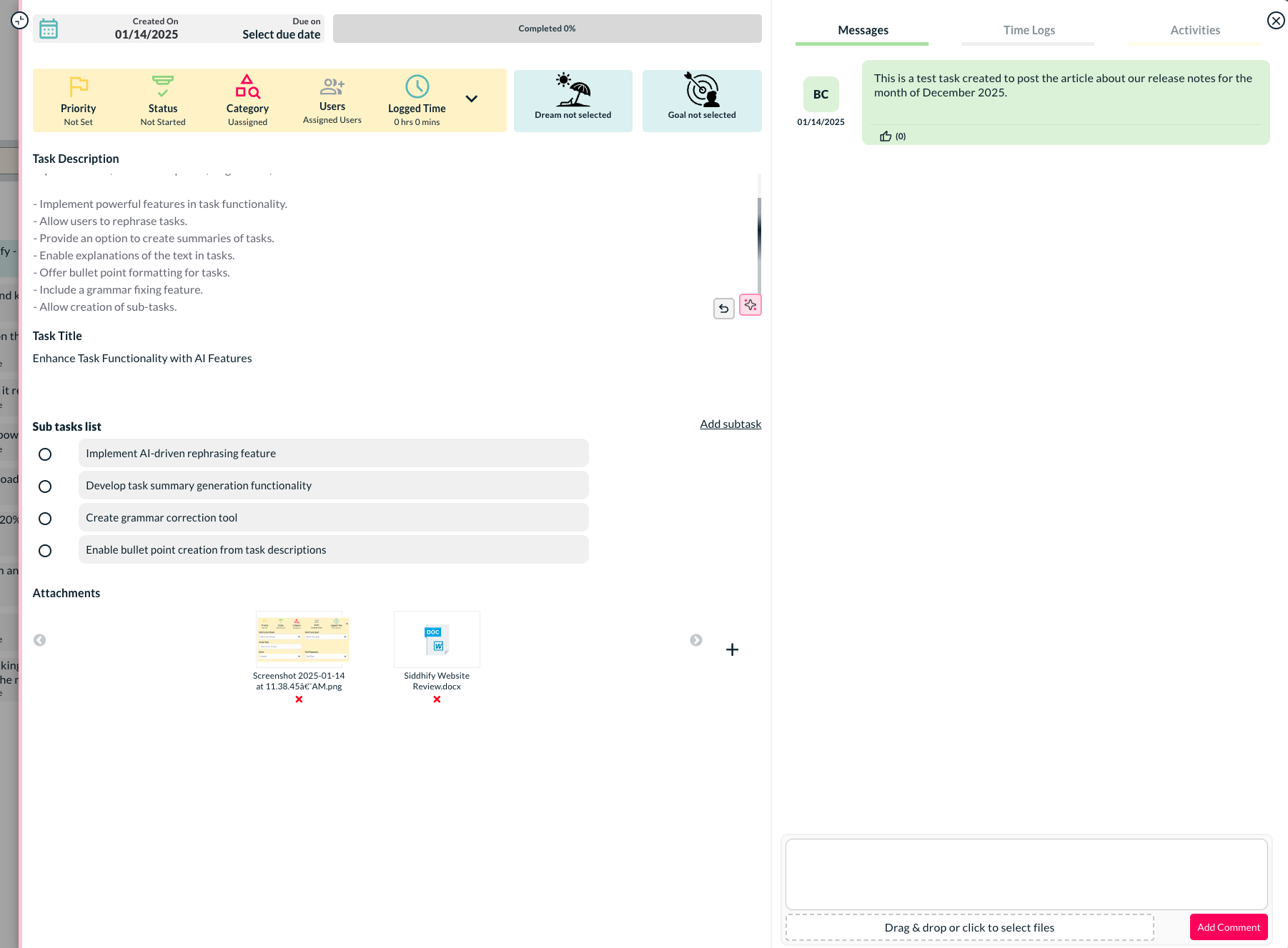
The best thing is, it remembers what layout you are looking at and when you revisit the tasks, it shows you the same layout. - Sorting and Filtering Options: Filter by user now available Now, on the task interface, you have a sorting option to sort the tasks by users.
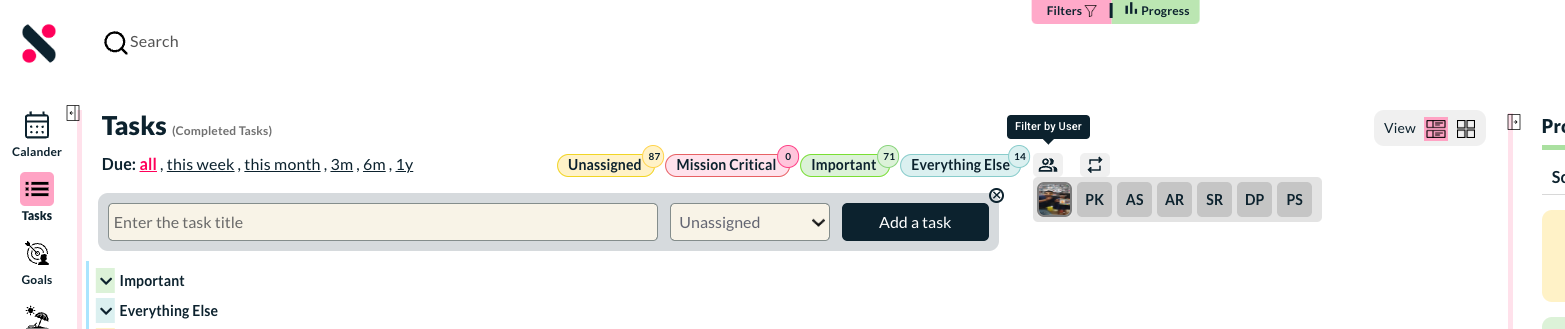
- Filter by repeat task now available: Filter by repeat task (habit-based tasks) is a new sorting option available on the task interface. This helps you find all the repeat/habit tasks.

- Completed Task Interface: Updated UI to align with the active task interface.
Completed task is now having better interface We have completely revised the look and feel of the completed task interface and made it more identical with the active tasks.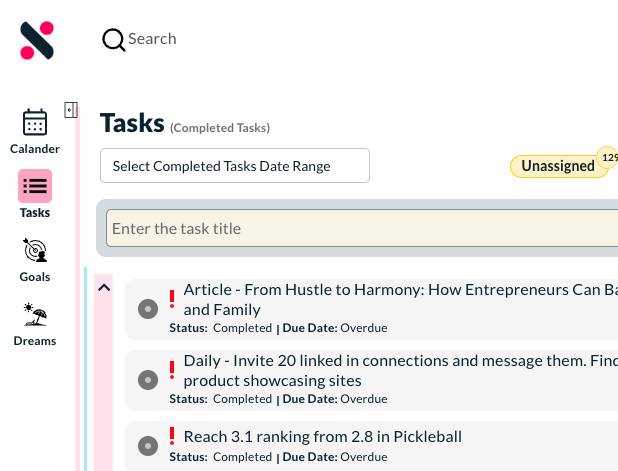
- Date range and other filters for completed task The date range is now available to show completed tasks based on a specific date range.
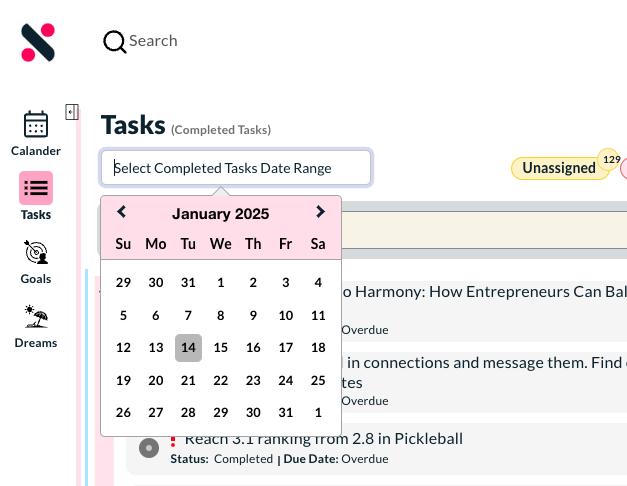
- Task Listing UI: Simplified and cleaner layout with more task details presented clutter-free.
Task listing page new UI changes We have simplified the task listing interface and made it cleaner. Now more info about the tasks shows in a clutter less way.
- Added sorting, task add button on the column view Now the more sorting options and task add form comes all the time on the column view for tasks.
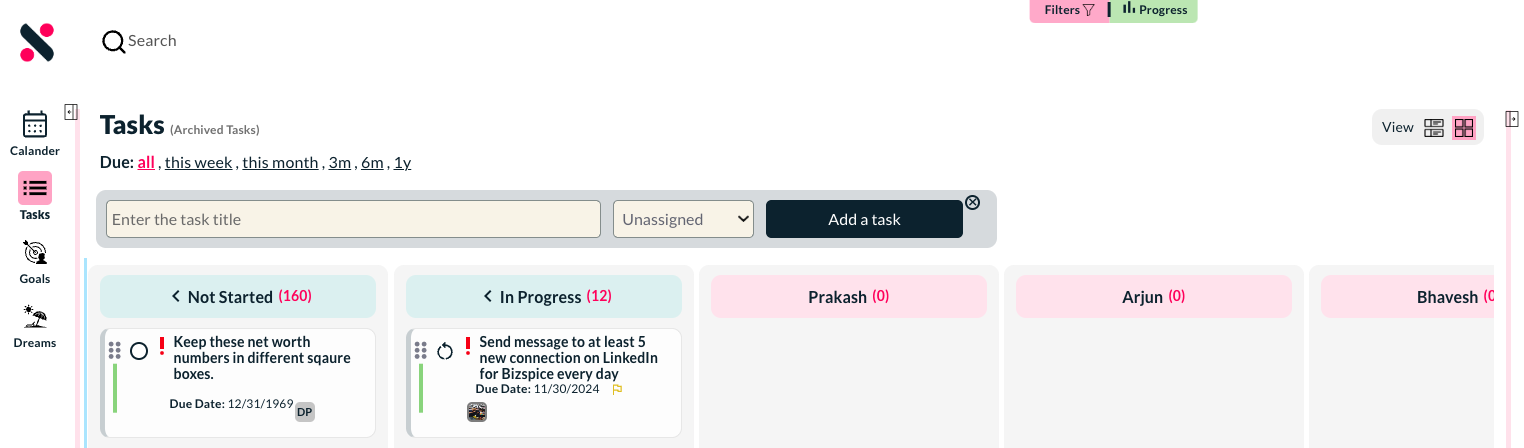
- Roadmap interface and some functionality changes: We have added some new features to the roadmap section of the app. We have also fixed the order of showing roadmap items and put year 2024 in the bottom.
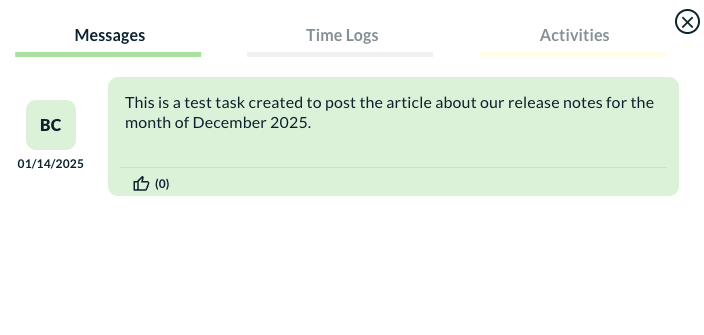
- A new refreshed task comment design interface: We have made some small but important UI changes to the comments interface in Siddhify.
- Email Update Option: Users can now update their email address associated with their Siddhify account.
- Logs and Activities Section: Redesigned for a better user experience.
A dedicated section for logs and activities Now the activities and logs shown in a nicer way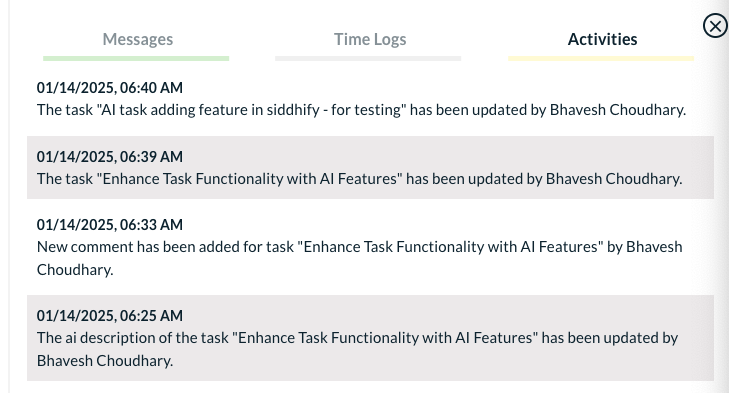
Bug Fixes
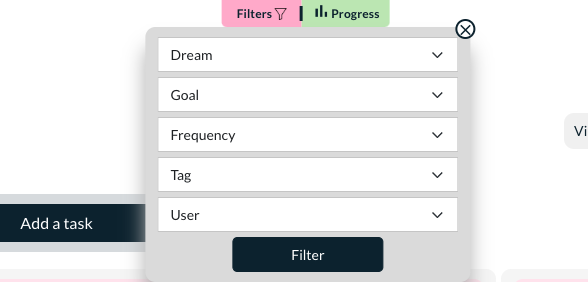
- Task Filter Functionality: Fixed bugs related to filtering tasks by dreams and goals. Fixed some important bugs related to filtering tasks by dreams and goals.
- Bug fix – tasks jumping in task screen We had an issue related to tasks and the section jumping when creating or closing tasks. This is fixed now.
- Bug fix – when dream and goal selected, the new task automatically assigns to the selected dream and goal. We had a bug when at some events the tasks were not assigned to the selected goals and dreams. This is fixed now.
- Fixes on the goals page
We have fixed a couple of usability issues on the goals page related to expanding and collapsing goals, showing correct number of tasks, staying on the same interface and tab when updating any tasks from the goals tab.
As always, we’re here to make your productivity and life management even better. Feel free to reach out to us with any questions or feedback!