
Siddhify Release Note – January 2025
Web app layout and functionalities
- We have revised the look and feel of the application and improved some global elements. The left navigation has been improved to make it cleaner and clearer for our users.

- The global top navigation is completely revised with lots of new features and functionalities. Here is the detail:

2.1. Now, at all times you can see which dream or project you are working under. By default, the dream will be set to “all”.
2.2. You can see the overall score you have achieved so far on Siddhify by doing work.
2.3. You can see the overall rating for your health, family related projects.
2.4. You can see your current net worth.
2.5. You can also see the awards, rewards and streaks you have achieved so far.
2.6. The search, support and notification icons got revised. - Task sorting has a new improved design and functionality
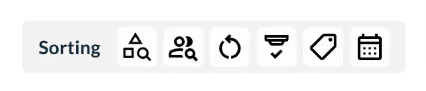
All sorting options are now under one section and work great when you filter the data with these options. - Microsoft Teams integration
Now you can connect Microsoft Teams with Siddhify to send updates from Siddhify to your Microsoft Teams room. - Documents
We have launched a new module called documents which helps you to create documents and notes in Siddhify.
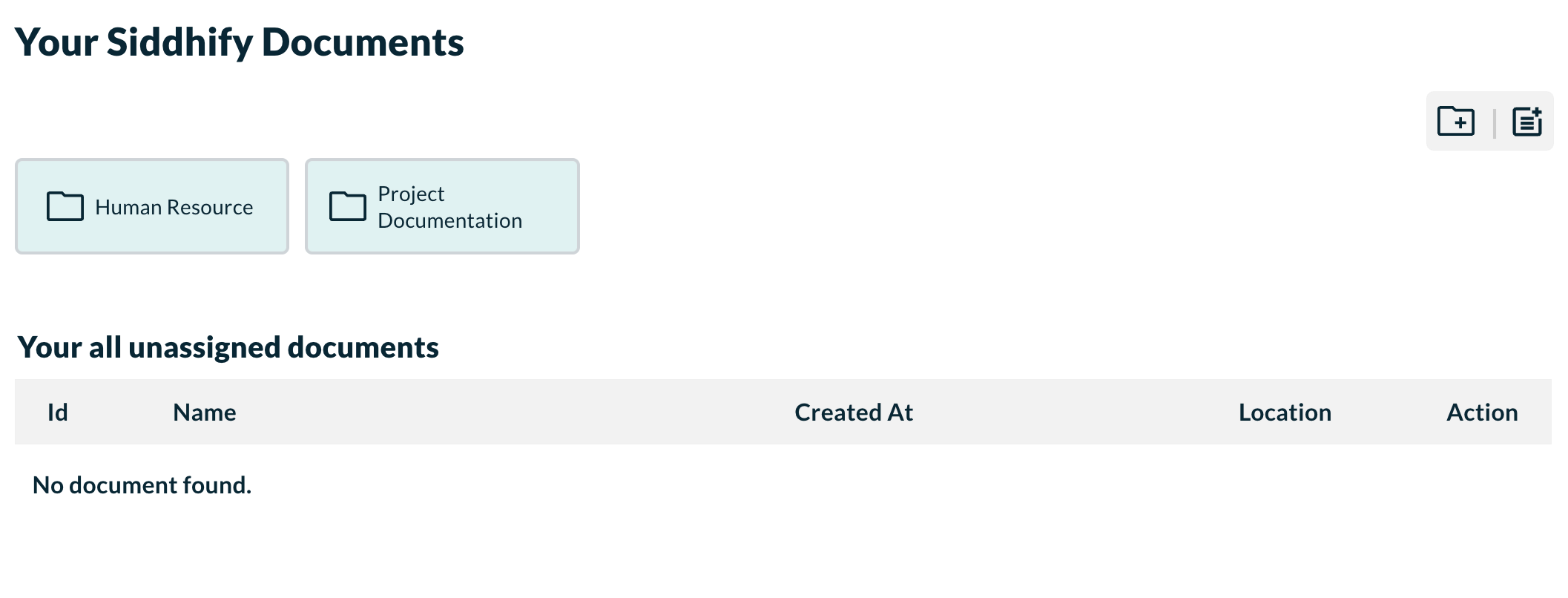
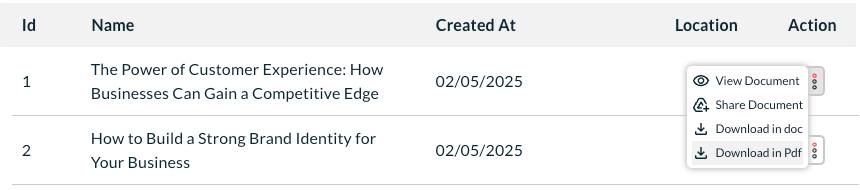
When you add documents, the listing looks like this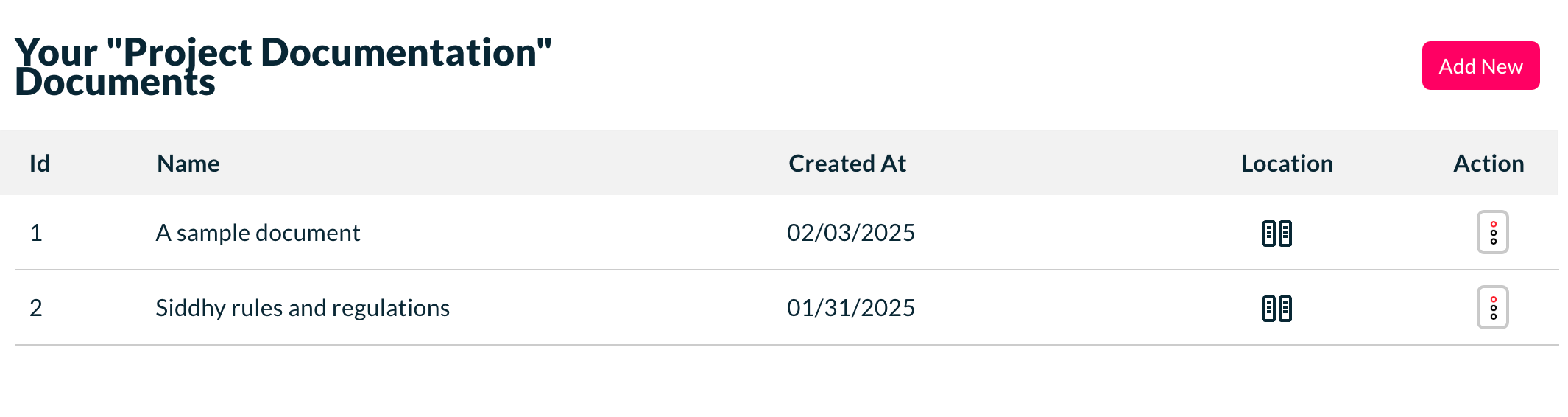
Doc also gives you a feature to create different folders. - Google Docs integration
Now you can create docs locally in Siddhify and sync that with your Google Drive. This works in both ways for syncing. - New remind me feature on the tasks

Now you have stackable notification to remind you of something due today. You can set this when creating a task. This works based on the current due date of a task. When the due date is today and is set to remind then you get this notification sticker.
You can set the remind me when click on a task due date option here: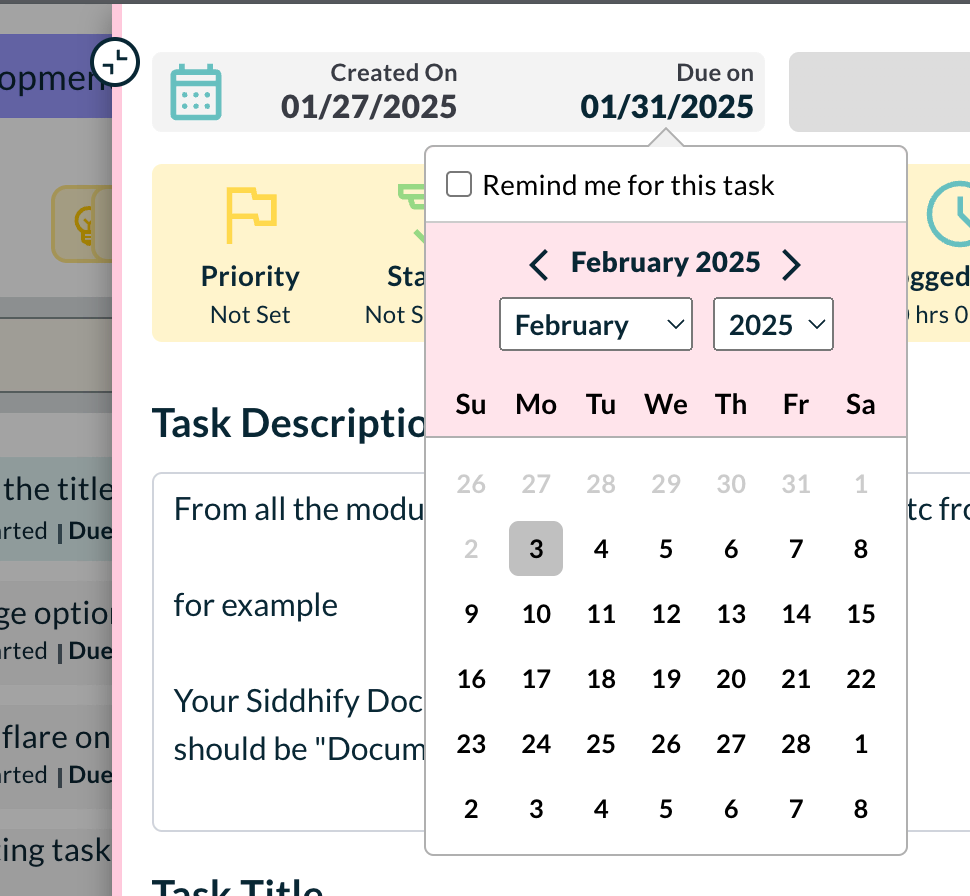
- Documents module got AI feature implemented.
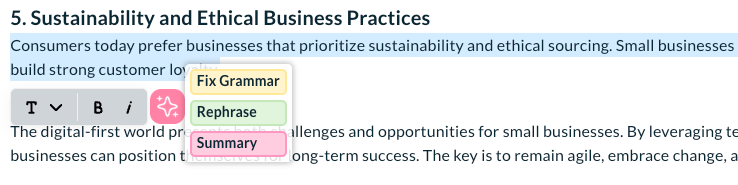
Now you can use AI to improve your documents. You can use document summary, paraphraser etc feature to revise your documents. - Implemented AI feature when editing a dream, goal or a task.
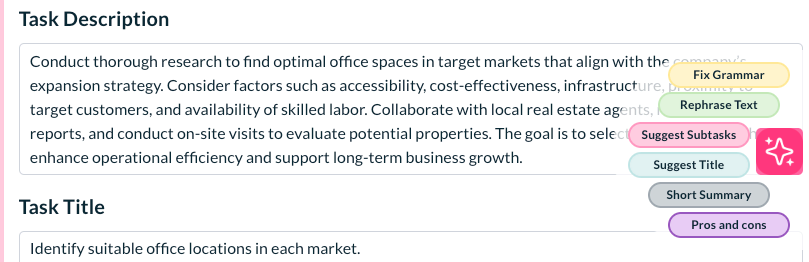
- Documents can be downloaded as docx or pdf.
Mobile layout and functionalities
- Implemented rtk in whole app except documents, tasks pages.
- Fixed frontend issues where if primary dream exists and while creating new dream user able to check the checkbox of make this as primary dream.
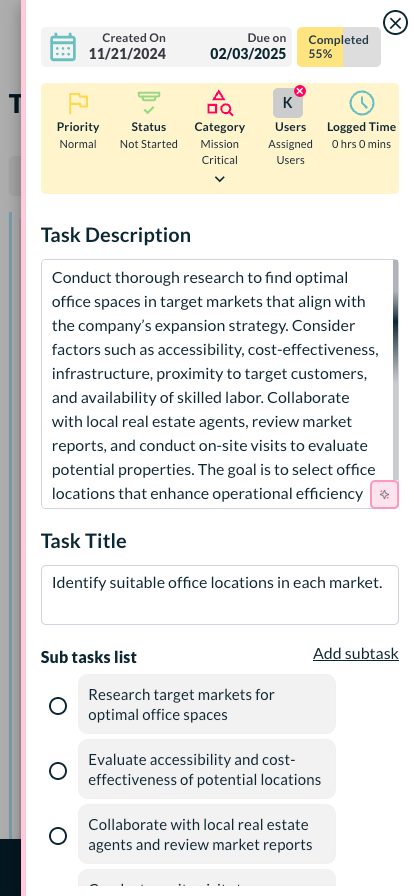
- New tasks edit view responsive for mobile devices.
- Created csv file of app main keywords translations
- Created document layout responsive for small devices
- Calendar layout fixed on mobile.
- Fixed the documents right sidebar and my account pages sidebar where is not working based on cookie.
- Dashboard task for this month layout fixed on mobile.
- Fixed issue of extra padding on body, when daily report popup comes on dashboard
- App layout fixed for Firefox browser
- Made new roadmap layout responsive for small devices
- Settings tabs layout fixed
- Onboarding last page image changed
- Onboarding page Ui improved and fixed responsiveness issues for small devices
- Worked on email templates
- Fixed the layout of “Tasks for This Month” on the dashboard.
- Fixed the Verify Code layout for mobile screens.
- Resolved the issue where pending and completed tasks were not showing in goal details
- Improved the support tickets rtk logic and fix few bugs
- Added a loading icon on the analytics page
- Fixed the styles for input fields and select fields in the app
- Implemented tokenized URLs for the dream page and goal page
- Resolved a few UI-related issues on the general settings tabs
Bug fixes and stability enhancements
- Added validation when creating a support ticket
- Fixed the Horizontal scroller on task grid view.
- Fixed the net worth filter
- Fixed the Net worth Graph presentation
- Dashboard graph improved a little to make it weekly date display
- Improved the task edit section heading and field display
- Subtask from the edit task popup, fixed the add subtask click function
- Enabled the button to show subtasks on task listing
- Made changes to the task list layout individual task sections options like add etc sub user directly from list change percentage complete add/view task added time
- Fixed the design of the sub task and repeated task on the main window
- Fixed the proper spacing on all modules specially in task listing and edit
- Made the category name little bolder and clickable, when each section closed on task listing
- Fixed the commenting on task 1
- Fixed the Tip of the Day popup on the right sidebar
- Added condition to accept minimum 100 characters for AI, wherever it is implemented
- AI button visibility issue and feedback on all screens
- When user click on the comment from the task list, can you open the right-side section and slide down the page to the comment section
- Fixed the data on daily performance report if no data selected
- Fixed the issue of logout randomly on page refresh
- Cancel Subscription changes on button and validation and add discount like Claim now etc.
- Daily status report popup on dashboard. layout fixes and display fix to show next day when date change
- Showed the assign user details in calendar tasks list
- Removed the view more details from account page, and make email change via button
- On subtasks add time not tracking properly, fix that
- When task form is closed… the add task button not appearing properly, fixed
- When on goals page, clicking on any goals task from the right, on closing, it brings the user back to the main goals page
- When the task is created from the goals page through AI, it should show in the pending list immediately
- Make task comment clickable on complete editor area
- Keep these net worth numbers in different square boxes 30: Increase the task complete animation spread on screen, also add that animation when task close form task edit popup
- Fixed the same update query multiple times if we only click the task description or task box without making changes
- Added placeholder images/icons on task comments attachment
- Added text formatting toolbar on text selection on document
- Fixed reset password section UI in account section 3
- Fixed the issue Apps tab not visible many times in Settings
- Image upload issue fix on task update, it shows that uploaded but not added/attached on that task
- Added loading message until doc fully loaded
- Checked and update the conditions for the AppSumo user
- Added dream option to assign the doc
- Added and improve the option Repeat frequency for the repeat tasks
- Added open to store action on cookie for close add new task form box
- Added task count next to each category on left same as the top cat sorting
As always, we’re here to make your productivity and life management even better. Feel free to reach out to us with any questions or feedback!