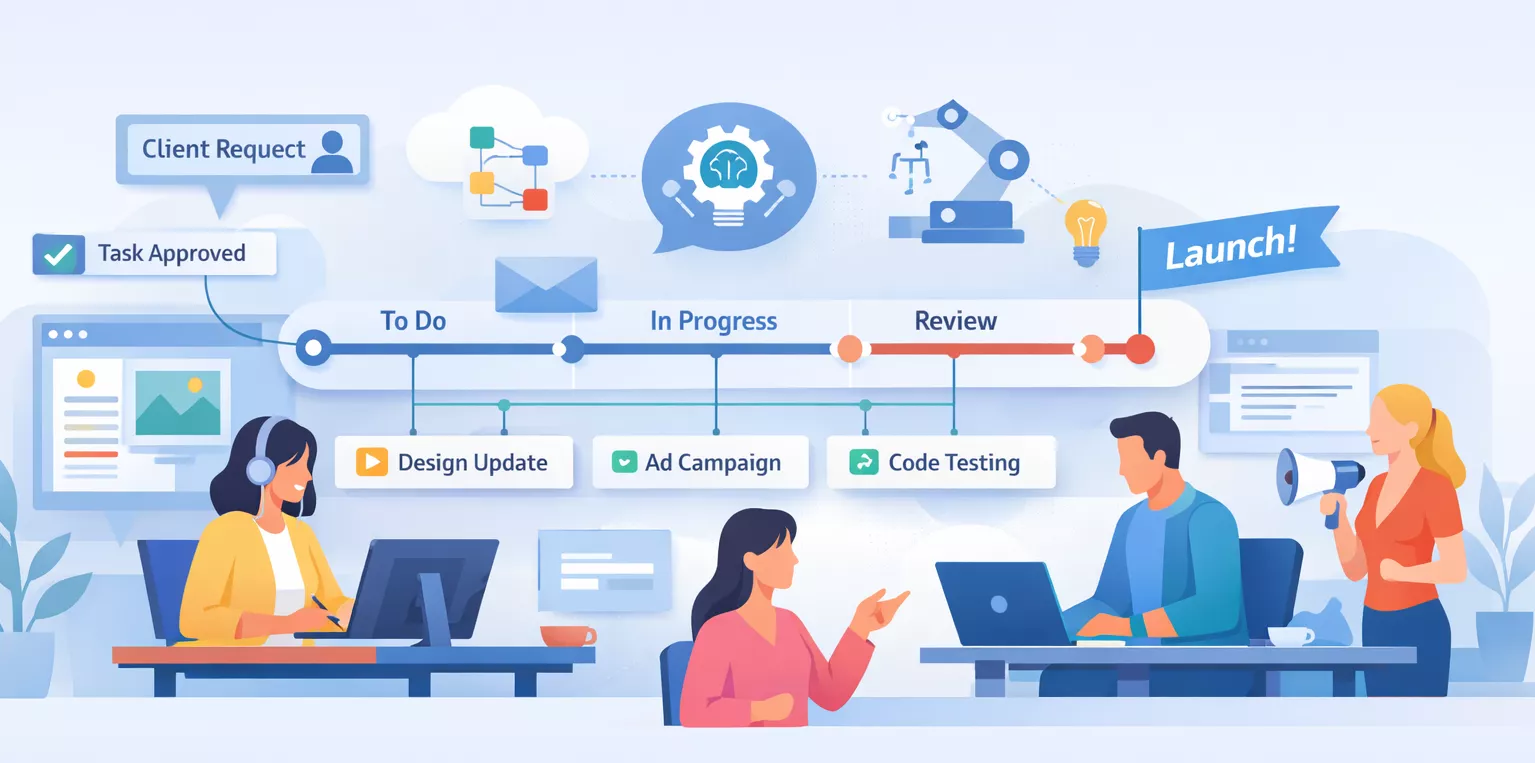
Stay in the loop
Get the latest news, feature updates, and exclusive promotions.

A practical guide to choosing freelance project management tools in 2026. Compare workflows, time tracking, invoicing, and freelancer-first software.

Most freelancers don’t quit because they’re bad at their work.
They quit because the work slowly becomes unmanageable.
With years of experience working alongside freelancers such as designers, developers, consultants, writers, and operators, I have tested many project management tools.
The pattern is consistent: users start with good intentions, adopt a tool, feel productive briefly, and then gradually stop using it.
This is not because the tool was faulty.
Instead, most tools are not designed for the realities of solo professional work.
By 2026, freelancing will no longer be considered casual. Clients expect professional delivery, predictable timelines, and accurate billing. Freelancers operate as one-person businesses, planning, executing, tracking, billing, and communicating their work – often all in a single day.
Most project management software is built for teams, roles, and hierarchy. Freelancers, however, face frequent context switching, limited energy, and minimal tolerance for friction.
This guide exists to solve that mismatch.
Instead of offering another generic list, this guide will help you select freelance project management tools customized to your workflows, constraints, and business needs.
While popular tools such as Trello, Asana, and Notion are widely discussed, they are not always suited to freelancers’ particular needs. Tools like Siddhify are developed specifically for individuals rather than teams.
On paper, project management tools organize jobs and deadlines.
In practice, freelancers require something more fundamental.
A good freelance project management tool reduces decisions.
It identifies daily priorities, tracks time allocation, and helps assess whether current work is still valuable. An integrated system reduces the mental strain of managing tasks across multiple platforms.
Starting the week with everything organized in one place reduces anxiety, enables faster client responses, and improves process efficiency.
When freelancers seek better organization, they are often trying to reduce mental overload.
That’s the real job of project management software for freelancers.
Many freelancers do not realize they are disorganized until they closely examine their processes.
Tasks are managed in one place, time tracking occurs elsewhere if at all, invoices are created manually, and client communication is split between email, Slack, and messages. These systems do not interact with each other.
The main cost is not only inefficiency but also increased mental effort. Studies from Harvard Business Review show that context switching reduces attention and efficiency, with some research indicating up to a 40% decrease.
For freelancers managing many responsibilities, this effect can escalate quickly.
A proper freelance project management system doesn’t eliminate work.
It eliminates unnecessary thinking about the work.
When freelancers search for project management tools, they are often presented with feature comparisons that appear impressive but overlook real-world usage.
Here’s what actually matters.
Freelancers lack onboarding budgets and time for administrative work. If a tool requires extensive setup, lengthy tutorials, or system design before it is useful, it becomes a liability.
The best tools are usable within minutes. You should be able to create tasks, identify priorities, and begin working almost immediately.
Any additional complexity turns into overhead, resulting in unpaid labor. This overhead consumes valuable resources like rest, family time, and creative energy, making it unsustainable for freelancers.
This is where many so-called powerful tools fail to meet the needs of solo professionals.
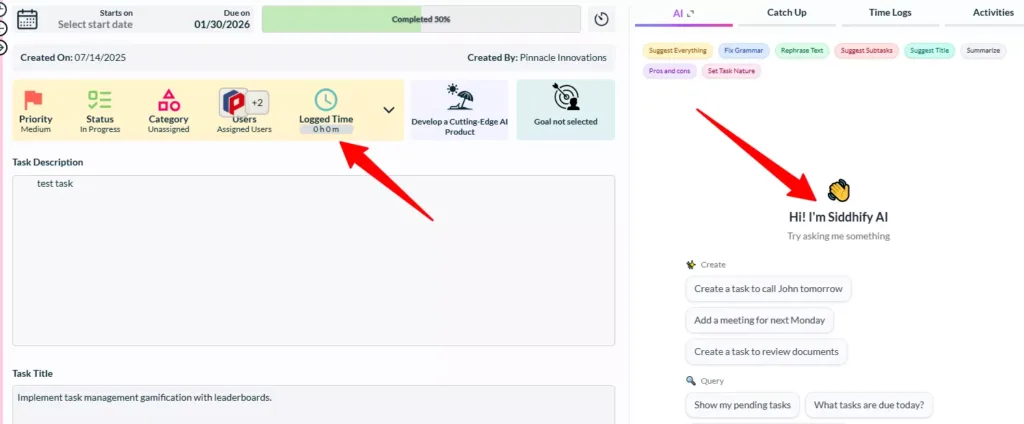
Siddhify tasks control with Pomodoro timer and AI assistant
Each day, freelancers face the difficulty of choosing which tasks to focus on.
Effective task management avoids overloading users with excessive views, filters, or dashboards. It provides clarity, whether by a simple list or a visual board. The key is that priorities are immediately clear.
For example, a concise task list such as “Finish client logo draft” and “Email project updates” provides focus, while a cluttered list with unrelated tasks can quickly become overwhelming.
If a tool cannot reliably help you identify active priorities, it is not fulfilling its purpose.
Time tracking is often seen as an accounting issue, but for freelancers, it is primarily a behavioral challenge.
Manual timers are often overlooked, post-hoc estimates are inaccurate, and third-party integrations disrupt focus. As a result, freelancers may underbill or stop tracking time altogether.
This is why focus-based approaches are important. Pomodoro-style time tracking is effective because it matches how freelancers naturally work: concentrated sessions with breaks in between.
Studies show that freelancers often experience a 15% to 20% increase in billed hours when switching to focus-based tracking. This measurable gain shows the effectiveness of aligning work patterns with a focus-oriented time management approach.
Siddhify integrates Pomodoro-based focus directly into tasks, allowing time tracking to occur naturally as part of the workflow rather than as a separate administrative task. This integration often determines whether time tracking is consistent or neglected.
For freelancers, work is not complete when the task is done.
Work is complete only when the invoice is sent, and payment is received.
Many project management tools stop short of this step, requiring freelancers to export time logs and recreate context in separate billing tools. This process brings errors, delays, and mental friction.
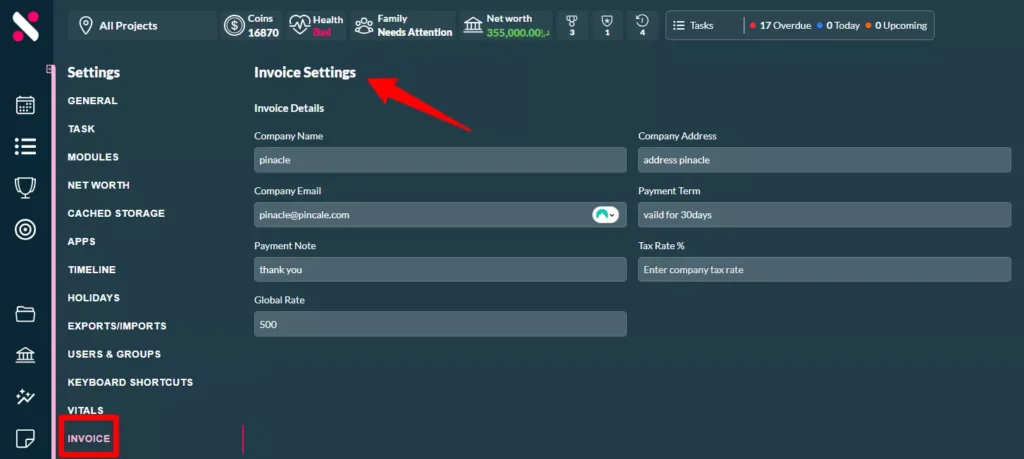
Tools that connect time tracking directly to invoicing complete the workflow. Siddhify was designed with this principle: tracked time should become billable output without extra steps.
This is simply a feature; it demonstrates respect for how freelancers earn money.
Freelancers do not require enterprise-level collaboration systems; they need visibility. Progress should be clear without constant emails, and updates should give clarity rather than unnecessary information.
Simple, candid communication beats complex permissions every time.
Freelancers focus on financial runway, not software licenses.
A practical free plan is important, especially at the start. Predictable pricing is even more valuable, as it provides budgetary stability. Consider the cost of a missed invoice compared to a monthly subscription.
Viewed this way, what may seem like an expense becomes an insurance policy against lost revenue. As your business grows, switching tools incurs both financial and mental costs.
For this reason, many freelancers begin with free project management software and commit to a paid plan only after confirming it fits their workflow.
Below is a freelancer-focused comparison, not a ranking.
Feature | Trello | Asana | ClickUp | Notion | Siddhify |
Task Boards | ✅ | ✅ | ✅ | ✅ | ✅ |
Time Tracking | ❌ | 🔁 via integrations | ✅ | ❌ | ✅ (built-in) |
Invoicing | ❌ | ❌ | ❌ | ❌ | ✅ (built-in) |
Pomodoro Tools | ❌ | ❌ | ❌ | ❌ | ✅ |
Client Collaboration | ❌ | ✅ | ✅ | 🔁 setup required | ✅ |
Instead of ranking tools, it is more effective to describe the types of users each tool serves best.
Consider Trello Tina, who loves visual simplicity and thrives on a board where tasks are moved from column to column with ease. However, Tina finds Trello lacking in time tracking and income management.
Then there’s Asana Aaron, who embraces structure and power, appreciating the detailed task hierarchies and timelines. But even Aaron admits that Asana’s complexity can be overwhelming and unnecessary for solo freelancers.
ClickUp Carl is dedicated to flexibility and functionality, finding that ClickUp offers almost any feature you might imagine. Yet, Carl often battles with mental overload due to the tool’s vast array of options.
Finally, Notion Nancy appreciates the thorough customization of her workspace. However, she spends considerable time designing her system from scratch before it can truly serve her needs.
Siddhify takes a different approach by assuming one person manages multiple roles. It integrates focus, time tracking, and invoicing directly with task management, removing the demand for individual tools.
– Trello is ideal for visual thinkers who need straightforward task management, though additional tools may be required for time tracking.
– Asana is suited to freelancers who thrive on structure and need detailed timelines but could struggle with its complexity.
– ClickUp is helpful for those calling for extensive functionality, though its complexity may cause mental overload.
– Notion is suitable for freelancers who enjoy customization, but it requires time to optimize.
– Siddhify is designed for freelancers who need focus and flawless integration of task management and invoicing.
If you want a deeper breakdown by use case, this guide to project management software for freelancers expands on those differences.
Siddhify’s invoice settings
Most articles focus on features, but real value lies in effective workflows.
This workflow is effective for fixed-scope projects. You break the project into tasks, work in focused sessions, track time automatically, and generate an invoice directly from logged work.
Planning, execution, and billing remain connected, which prevents scope creep from reducing your margins.
For freelancers managing retainers or recurring work, maintaining separation is essential. Each client should have a dedicated project space, priorities should be reviewed weekly, and time tracking should identify profitable versus time-consuming clients.
This workflow not only organizes work but also protects boundaries. When collaborating with small teams or subcontractors, use a collaborative project management tool to secure efficient collaboration.
This approach sustains focus on individual clients while adjusting to group dynamics as needed.
When deadlines are tight and billing is hourly, clarity is essential. Focused work sessions prevent overwork, accurate time tracking protects income, and transparent progress updates reduce client anxiety. Visibility reduces stress for both parties.
Do not select a tool based solely on marketing materials.
Use it for real work.
Here is a challenge: dedicate 15 minutes today to testing a fresh project management tool. See if you can organize tasks, track time naturally, and predict how billing would work.
If you cannot easily accomplish these tasks, the tool may not be suitable for solo workflows. Complexity may not be quickly evident, but it can become problematic over time. Sharing your results can help identify tools that really support freelancers.
To move smoothly from an old tool to a new one, begin by exporting your data from the previous system. Most tools provide this feature in their settings or export options.
Next, import the data into your new tool, making sure that task lists, contacts, and project schedules are accurately mapped. Run a test project to become familiar with the new interface and features. This process helps identify possible challenges before you fully commit.
Finally, integrate the new tool gradually alongside existing systems until you are ready to phase out the old ones.
Freelance project management tools help solo professionals manage tasks, deadlines, time tracking, and client work in one place. They’re designed for individual workflows, not team-based project management systems.
The best project management software for freelancers combines task management, time tracking, and invoicing free of unnecessary complexity. Freelancer-focused tools usually work better than enterprise or team-centric platforms.
Yes. Project management software helps freelancers stay organized, avoid missed deadlines, reduce mental effort, and manage multiple clients more efficiently as their workload grows.
Yes. Time tracking helps freelancers price projects accurately, identify unprofitable work, and understand how their time is spent – even for fixed-price or retainer projects.
Most freelancers stop using project management tools because they’re too complex, require heavy setup, or are designed for teams rather than solo workflows.
Some free project management tools are sufficient early on if they support core features such as task management and basic time tracking without forcing early upgrades.
Freelancers have to prioritize ease of use, clear task organization, simple time tracking, and billing support. Advanced features matter less than simplicity and low cognitive overhead.
Siddhify is built specifically for individuals. It combines task management, Pomodoro-based focus, time tracking, and invoicing into a single system, reducing tool switching and administrative work.
There is no single best freelance project management tool. The right choice is the one that fits your workflow.
Focus on:
Test tools thoroughly by running real projects through them.
Choose a system that supports both your productivity and your income. If you are seeking a tool built specifically for freelancers rather than teams, consider Siddhify for integrated project planning, focused work, time tracking, and invoicing.

How to Choose the Right Project Management Tool as a Freelancer (2026)
Join thousands of entrepreneurs and professionals managing their work and life in one place — with the motivational power of gamification built right in.
⚡ Try Siddhify Free TodayNo credit card required · Set up in minutes