
Stay in the loop
Get the latest news, feature updates, and exclusive promotions.

We present the best frontend cloud collaboration tools in 2026. Compare IDEs, design tools, workflows, and learn how Siddhify unifies your entire stack.

Distributed work is the default for frontend teams, with designers in Berlin, developers in Toronto, and freelancers joining from Bali. Even small digital agencies handle five projects with remote and hybrid teams.
Cloud collaboration tools enabled this shift, but they also introduced a new challenge:
Imagine a designer on a tight deadline bouncing between tools. She starts in Figma, jumps to Slack for clarification, checks GitHub to confirm the latest code, updates Jira, and gets pinged in Miro about a change from last night’s brainstorm.
By the time she returns to Figma, three hours have passed, and her main question is still unanswered.
6According to Zoom’s Workplace Collaboration Report (2026):
Combine this with the typical set of frontend tools, and it’s clear why teams get burned out, miss deadlines, or forget to give feedback.
This guide is here to help you tackle that challenge.
You’ll learn:
If you want the best cloud-based frontend collaboration software in 2026, this is the definitive guide.
Ready to improve your team’s workflow? Start by reviewing your current tools to spot any inefficiencies or overlaps.
Try using Siddhify to organize your projects, communication and coordination. Jump in and begin making your collaboration better today.
We’ll start by reviewing the essentials.
Frontend cloud collaboration software is any tool that lets developers, designers, and product teams work together at the same time, right in the browser, without needing to set up anything on their own computers.
These tools eliminate environment issues (“but it works on my machine”), simplify onboarding, streamline design-to-dev handoff, and make remote teamwork feel natural.
Modern frontend teams need a few essential features. Which ones are you missing? Knowing this will help you get the most from the tips and comparisons below.
Live cursors, shared terminals, instant previews, collaborative debugging.
Tools like inspect mode, reusable design pieces, shared component libraries, and easy-to-download assets.
Templates for code changes, ways to organize code versions, and comments right in the code.
Automatic build and test systems, automated checks, and special links to preview changes.
SOC 2, ISO 27001, GDPR compliance, SSO, audit logs.
With these features, teams work faster, communicate better, and don’t need to share their screens as often.

Let’s look at the main reasons more teams are using these tools.
Gallup reports that 20% of the global workforce can work remotely 3–5 days a week without any loss in productivity.
Frontend development is especially suited to this:
When your workflow is cloud-based, onboarding new engineers is as simple as logging in and beginning to code.
Zoom’s research uncovered tough numbers:
For frontend teams, this leads to:
In a competitive market, inefficiency can be very costly.
According to Business Research Company, cloud collaboration software reached $18.2B in 2024, and the demand continues to rise.
Stack Overflow’s Developer Survey shows:
Today, collaboration tools are an essential part of every team’s toolkit.
Cloud tools give you the basics. Siddhify gives you a way to organize your work.
Cloud tools help you get things built.
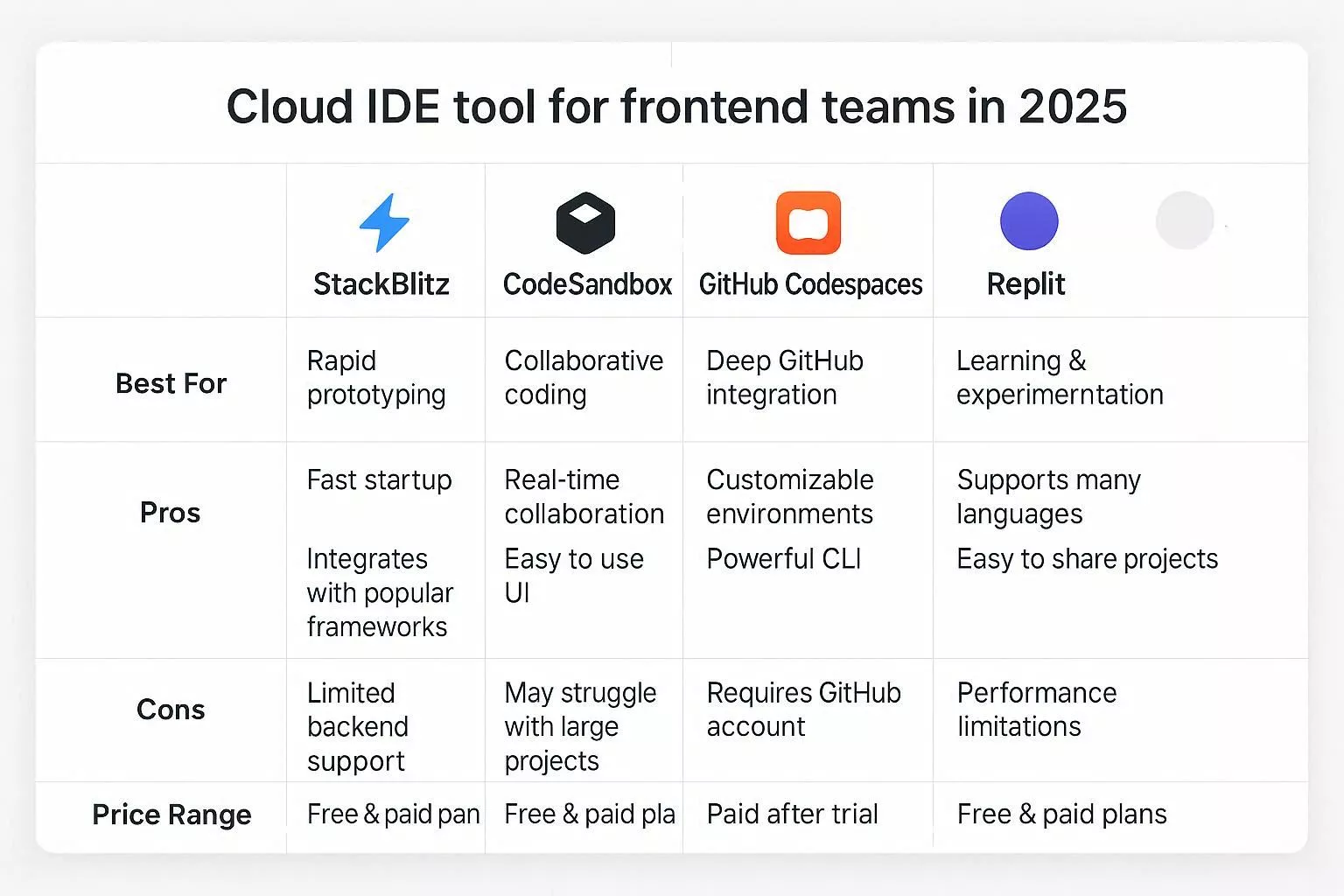
Cloud IDEs are the main tool for modern frontend teamwork because they:
Below is a full comparison of the top cloud IDEs for frontend teams in 2026.
StackBlitz runs Node.js directly in the browser using WebContainers meaning you get a full dev environment with zero setup.
Teams building design systems often use StackBlitz to preview components instantly, eliminating setup delays.
CodeSandbox is widely used for prototypes, live previews, small apps, and collaborative editing.
A team developing an interactive learning app significantly improved their development efficiency with CodeSandbox’s live collaboration and CI integration.
By cutting the time to build their MVP by 40%, they were able to reallocate resources and enhance other project features without extending the deadline.
If your team uses GitHub heavily (PRs, issues, projects, actions), Codespaces is a natural extension.
Usage-based:
Replit is not frontend-specific, but it shines for quick experiments, teaching, workshops, and multiplayer coding.
Tool | Best For | Pros | Cons | Price |
StackBlitz | Pure frontend work, component libraries | Instant load, WebContainers | Limited backend | Free–$15/user |
CodeSandbox | Prototypes, demos, client work | Great sharing, live previews | Not ideal for huge repos | Free–$15/user |
Codespaces | GitHub-native workflows | Full VS Code, dev containers | Higher cost | Usage-based |
Replit | Learning, quick experiments | Multiplayer coding | Not frontend-specific | Free–$10+ |
Frontend teams often work together on code, fix problems, and solve issues quickly. Real-time collaboration tools let developers work together without needing to share their screens.
Live Share enables two or more developers to collaborate inside the same VS Code session.
Frontend teamwork does not work well without easy ways for designers and developers to work together. These tools help fix that.
Figma is the global leader for UI/UX collaboration.
Ideal for:
Penpot is useful for companies that require open-source stacks or self-hosting.
GitHub remains the dominant platform for code hosting and collaboration.
GitLab offers:
Engineering organizations with strict compliance needs.
If your company uses Jira heavily, Bitbucket is a natural fit.
These tools help teams stay aligned and deliver work consistently.
Used by 57.5% of developers.
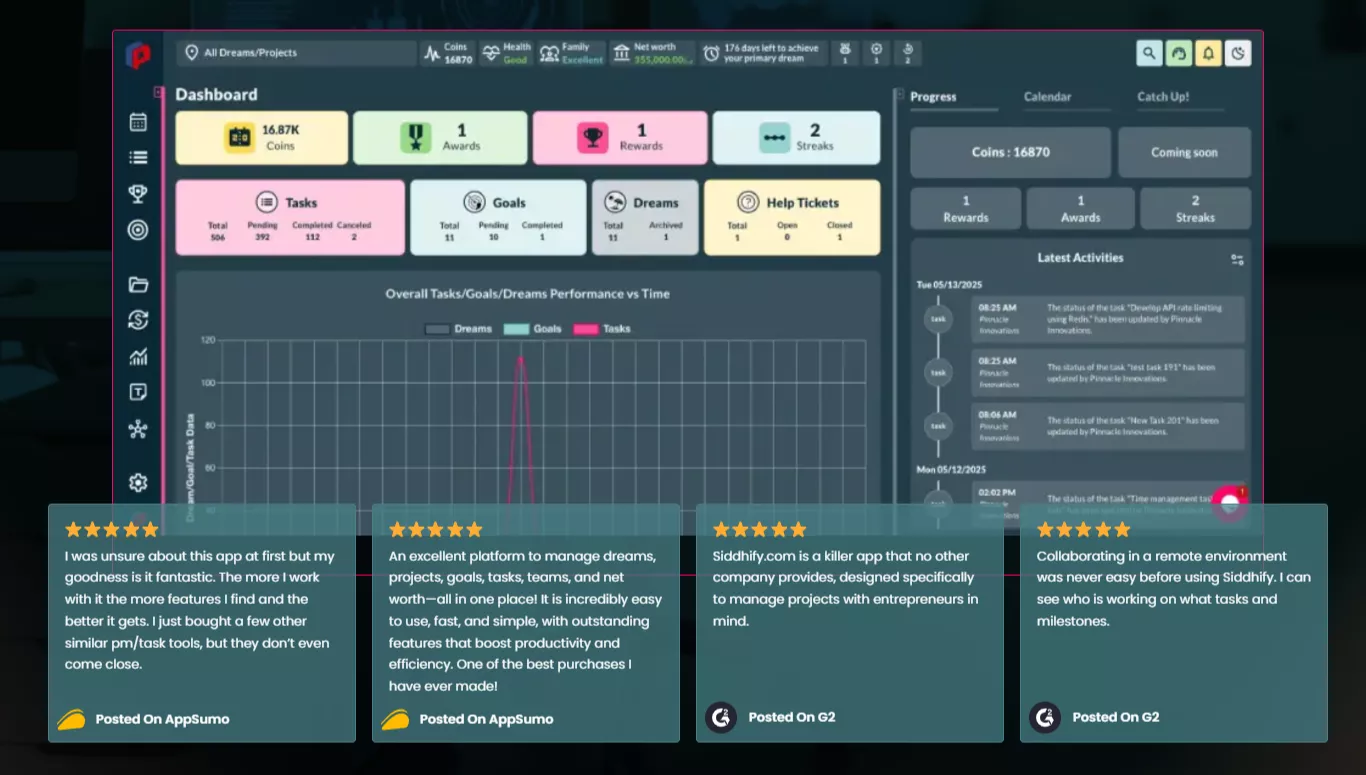
These tools speed up approvals and reduce back-and-forth.
Great for early-phase thinking:
A cloud-based frontend collaboration tool helps developers and designers work together in real time using browser-based environments, design platforms, and shared workspaces.
A cloud-based frontend collaboration tool helps developers and designers work together in real time using browser-based environments, design platforms, and shared workspaces.
StackBlitz is best for pure frontend development, CodeSandbox for prototypes, and GitHub Codespaces for teams working inside GitHub.
They use tools like Figma, Webvizio, GitHub, and Siddhify to share designs, link tasks, preview components, and track progress in real time.
Most teams use Figma, GitHub, StackBlitz or Codespaces, Jira or Linear, Webvizio, Slack, and a workflow orchestrator like Siddhify.
Limit tools, use a unified planning hub like Siddhify, standardize rituals, and link designs, tasks, and PRs in one place.
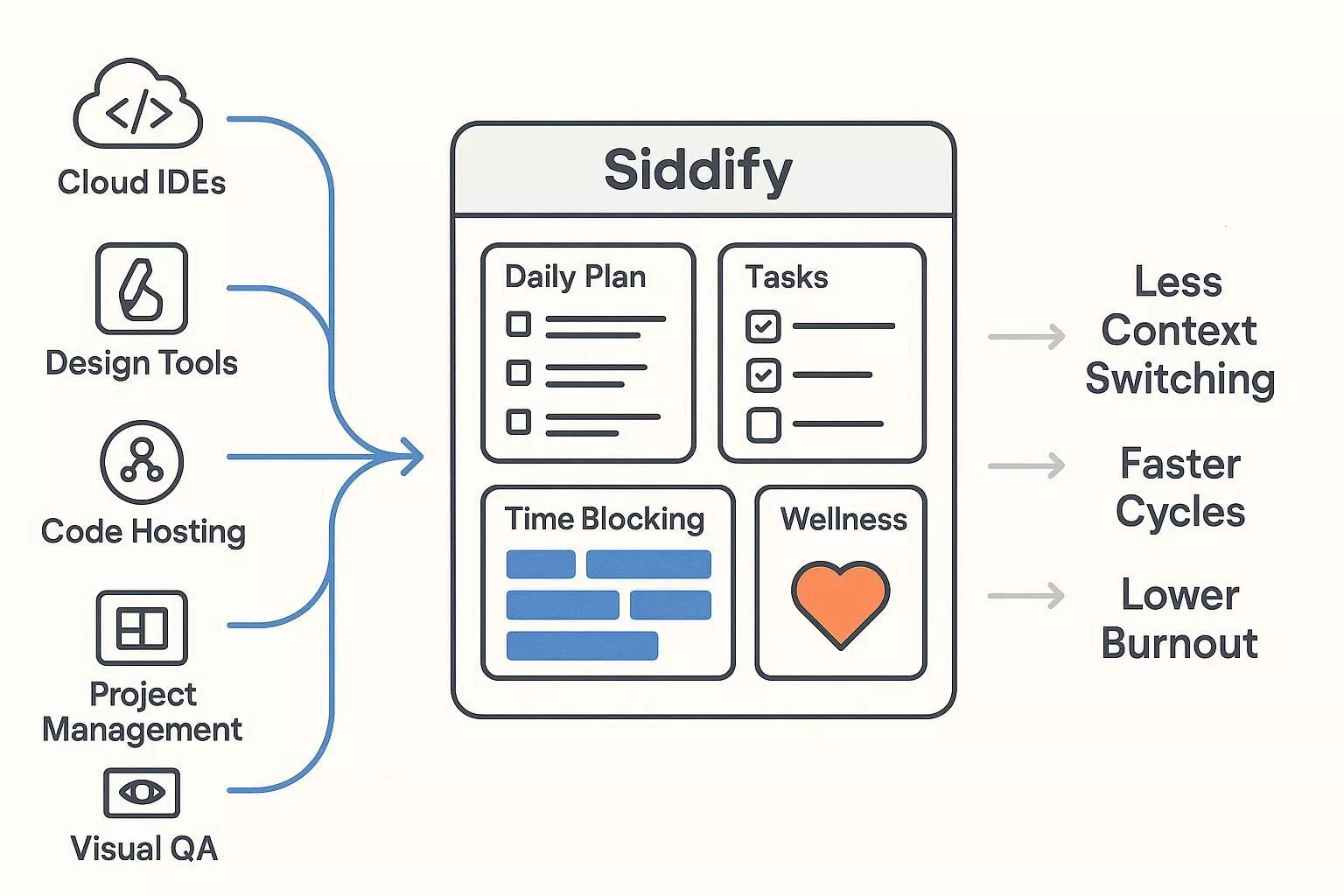
By now, you’ve seen the landscape:
Frontend teams use lots of tools.
It works, but everything is scattered.
Over time, fragmentation leads to:
Teams don’t need more tools. They need a single source of truth that brings everything together. That’s where Siddhify comes in.
Siddhify doesn’t replace your tools.
It helps organize and connect them. Think of your collaboration stack like a brain:
Siddhify acts like the prefrontal cortex, handling planning, prioritization, focus, and decision-making.
Here’s what that looks like.
Plan your day in one place:
Everything that happens in Figma, GitHub, or your IDE rolls into your daily plan.
Siddhify lets you link:
You no longer ask:
“Where is that file?”
“Where’s the PR for this task?”
“Which design is this based on?”
“Where was the client comment?”
It’s all right there, in one place.
Unlike generic task apps, Siddhify gives you:
If you’re a solo founder or freelancer, you get the lightweight version.
If you’re a team, you get the collaborative version.
Frontend work is mentally heavy. Siddhify supports:
Companies adopting Siddhify report significantly lower burnout because teams can see their workload visually and better manage it.
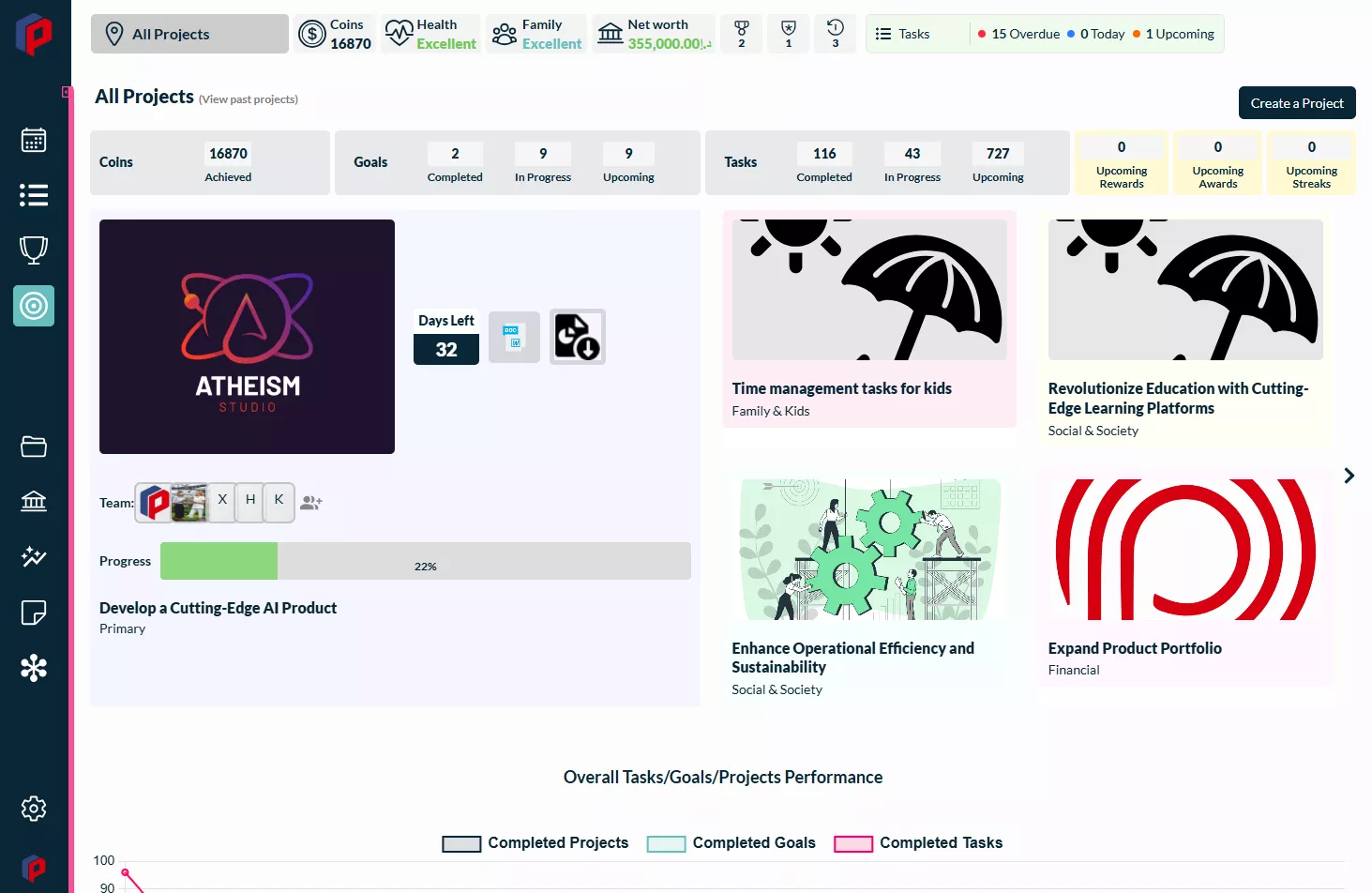
Siddhify tasks dashboard with an AI assistant
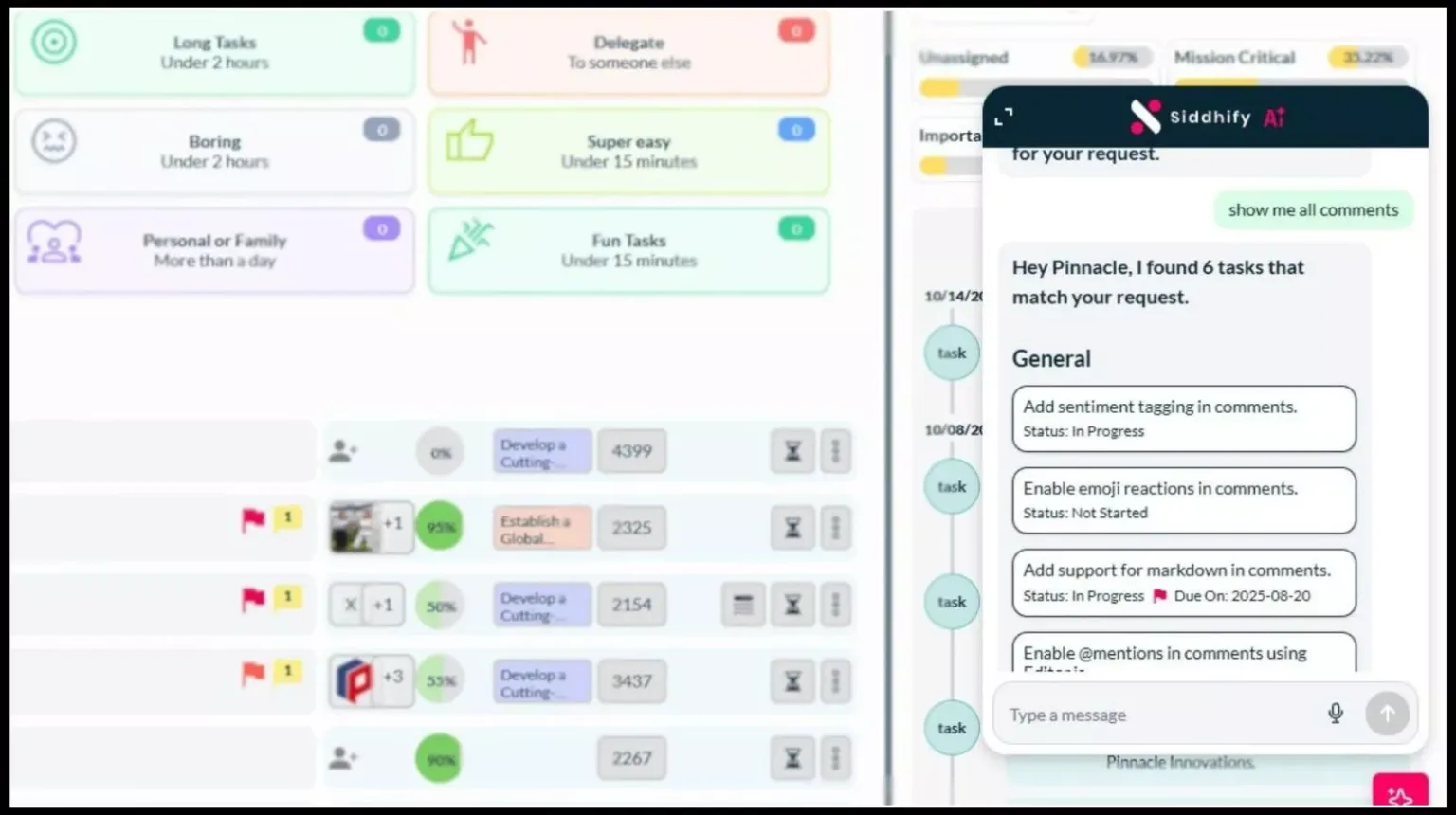
Siddhify’s AI uses your linked tasks, designs, and PRs to help you:
This is not generic AI. It is contextual AI.
A unique advantage:
Siddhify is also your life planner, not just a work tool.
This matters because:
Tools:
Figma + FigJam + GitHub + StackBlitz + Siddhify
Why this works:
KPIs to track:
Tools:
Figma + Webvizio + CodeSandbox + GitHub + Siddhify
Why this works:
KPIs:
Tools:
Codespaces + Live Share + Linear/Jira + Siddhify
Why this works:
KPIs:

AI cloud tools carry real responsibility. Teams must take security seriously.
Every tool you choose should support:
Ideal tools should comply with:
Avoid tools without these certifications for enterprise or regulated clients.
You should be able to answer:
Who has repo access?
Who can merge PRs?
Are designs stored securely?
Are CI/CD secrets encrypted?
Is sensitive data uploaded to cloud IDEs?
Is access removed when contractors leave?
Additionally, consider asking: Who on your team owns each item?
Assigning ownership can ensure responsibility and drive teams to actively manage and complete each task. This checklist is strong for featured snippets too.
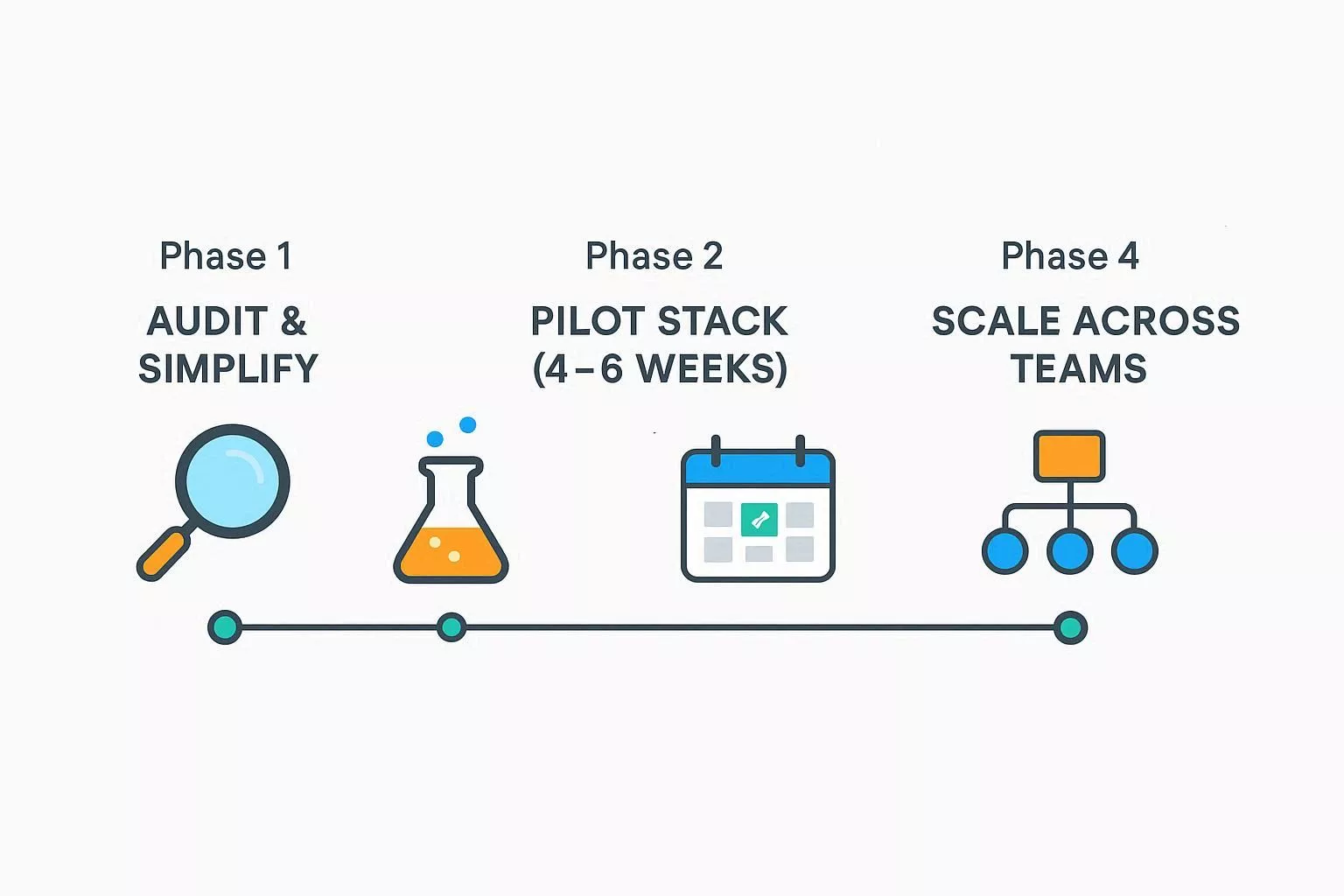
Most teams adopt tools randomly.
Smart teams use a structured rollout plan.
List every tool used.
Cut anything duplicated.
Zoom’s research proves:
More tools = more friction.
Run a controlled experiment.
Measure:
Use Siddhify templates for:
This makes things much less chaotic.
Roll your stack out company-wide.
Use Siddhify as your system of record.
These mistakes recur across dev teams, agencies, and startups.
The biggest productivity killer is tool overload.
This leads to silos, inconsistent workflows, and information loss.
Consolidate the workflow in Siddhify so all tasks, PRs, designs, feedback, and sprint processes come together in one place.
Teams underestimate how much handoff friction slows releases.
Fix
Use structured workflows:
Teams scatter planning across:
Establish a single system of record: Siddhify.
If the team asks, “Where is X?”, that’s a process bug.
Frontend teams often forget:
Use tools that are SOC 2, ISO 27001, and GDPR-compliant.
Set automated access and offboarding policies.
You can’t improve what you don’t measure.
Track 3–5 KPIs consistently:
Siddhify auto-generates these insights.
A cloud IDE runs in the browser with no local setup, while a local IDE runs on your machine. Cloud IDEs offer better onboarding, collaboration, and reproducibility.
StackBlitz and CodeSandbox are ideal for React and Next.js because they support instant previews, WebContainers, and real-time collaboration.
Live Share is perfect for pair programming but not a full replacement for cloud IDEs. It works best alongside Codespaces or a traditional local environment.
Yes, as long as they support SOC 2, ISO 27001, GDPR, and proper access controls.
Figma + Webvizio + GitHub + CodeSandbox + Siddhify.
This setup simplifies client approvals and accelerates delivery.
Use fewer tools, set clear workflows, and adopt Siddhify as your planning + coordination hub.
Not yet, but for frontend work, cloud IDEs are rapidly becoming the default, especially in distributed teams.
Siddhify is specifically built to reduce context switching by unifying tasks, PRs, previews, and designs in one place.
Map your workflows, pick tools that support design, code, feedback, and planning, then use Siddhify to keep everything organized.
Cycle time, PR reviews, handoff delays, bug resolution time, and client approval speed.
Frontend teams in 2026 work in a cloud-first world.
Design happens in Figma, code lives in GitHub, prototypes run in StackBlitz or CodeSandbox, and communication flows through Slack or Teams.
These AI cloud tools help teams move faster, but they also create chaos when used without a clear orchestration layer.
The best frontend collaboration stacks don’t rely on more software. They rely on better coordination, tighter workflows, and a single source of truth.
Siddhify unifies your tools, tasks, sprints, and focus into a single daily home screen.
Whether you’re an agency handling multiple clients, a startup shipping weekly releases, or a freelancer balancing work and life, Siddhify helps you work clearly, reduce friction, and avoid burnout.
Choose the cloud tools that fit your needs. Then let Siddhify bring everything together so your team can focus on the work that matters.
What is the first workflow you will unify in Siddhify this week? Making a specific commitment helps you get started.

Top Frontend Cloud Collaboration Tools in 2026 (And How Siddhify Unifies Your Stack)
Join thousands of entrepreneurs and professionals managing their work and life in one place — with the motivational power of gamification built right in.
⚡ Try Siddhify Free TodayNo credit card required · Set up in minutes