AI Task Managers and How They Boost Productivity
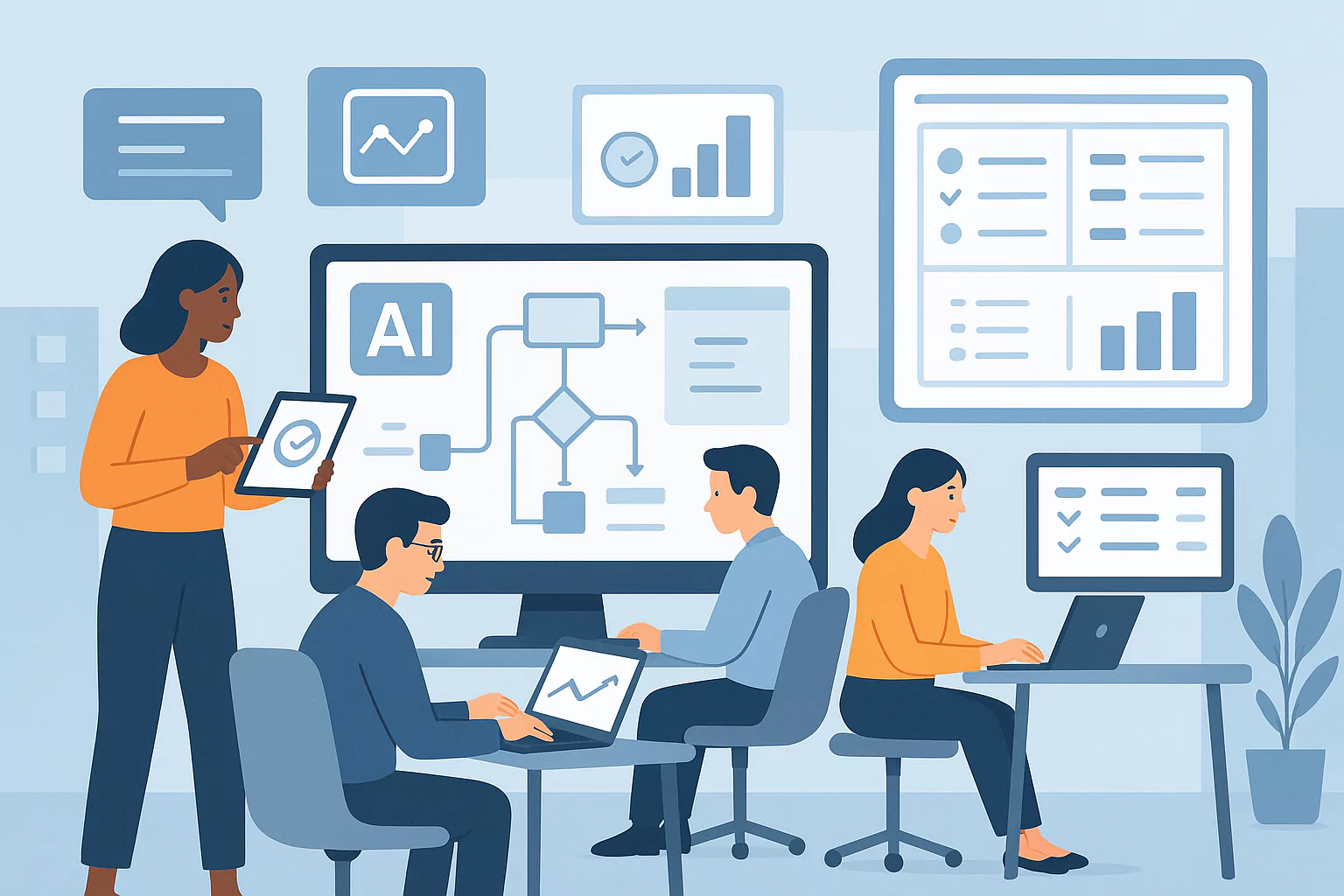
Today, time is one of the most valuable things we have, especially for small businesses, startups, and busy agencies. Teams are constantly juggling meetings, deadlines, emails, and projects, often switching between many different tools just to keep up.
That’s where AI task managers come in.
These smart digital tools use artificial intelligence (AI), natural language processing (NLP), and automation to do the boring stuff for you, like scheduling tasks, organizing projects, and sending reminders.
Instead of manually adding every task or trying to squeeze things into your calendar when plans change, AI task managers do it for you automatically.
They act like a digital assistant, helping you:
- Stay on top of your tasks
- Focus on what matters most
- Work better with your team in real time
In this guide, we’ll break down how these tools work, why they’re becoming essential, and how they can help your business save time, reduce stress, and boost productivity, without burning out.
What Is an AI Task Manager?
An AI task manager is a smart productivity tool that uses artificial intelligence to help you plan, organize, and prioritize tasks automatically. It works by scanning your calendar, emails, and project boards to create or update tasks, saving you time and effort. You can even talk to it in plain language using natural language processing (NLP).
An AI task manager is a smart tool that helps you plan your day by:
- Creating tasks
- Scheduling them
- Deciding what to do first
It uses AI tech like machine learning and NLP to read your emails, check your calendar, and look at your project boards. Then, it creates or updates your task list on its own.
No need to type in every little thing.
For example, just say, “Remind me to finish the report tomorrow morning,” and the AI will find the best time in your schedule.
Popular tools like Motion, ClickUp, and Notion already use this kind of smart tech. They can connect with other tools you’re already using, like:
- Google Calendar
- Slack
- Asana
- Email platforms
This way, everything stays in sync, all in one place.
Bottom line? AI task managers help you waste less time, avoid switching between tools, and get more done with less effort.
Core Features of AI Task Managers
Unlike old-school to-do lists, AI task managers are flexible, smart, and built to match the way you work.
Here are the top features that make them so powerful:
1. Intelligent Scheduling
AI tools can look at your calendar and figure out the best time to do each task.
Apps like Trevor AI and Motion automatically build your schedule based on:
- Deadlines
- Task length
- What’s most important
If you get a last-minute meeting invite, the AI will shuffle your tasks around, so you don’t need to drag or move anything yourself.
This is super helpful for small teams that have to deal with constant changes.
Expert Insight: According to a survey by Reclaim.ai, smart scheduling tools can save users up to 5 hours per week just by avoiding calendar conflicts and manual rescheduling.
2. Natural Language Input
With natural language processing (NLP), you can type or speak to your AI assistant just like you’d talk to a coworker.
For example:
- “Make a list of tasks from my Zoom call today.”
- “Remind me to follow up with Sarah on Thursday.”
- “What’s on my plate this week?”
Tools like ChatGPT, Notion, and Motion understand what you’re saying and turn your words into tasks fast.
This helps you capture ideas on the spot and reduces the chances of forgetting something important.
3. Automated Delegation and Tracking
Let’s say you’re having a meeting on Zoom or chatting in Slack. Some AI tools can now listen in and automatically assign tasks to team members.
For example, Anchor AI listens to meetings, figures out who’s responsible for what, and creates a to-do list with due dates.
Some tools even write follow-up emails and summarize your meetings for you.
This is perfect for managers who want to track work without constantly checking in.
4. Smart Prioritization
AI learns from how you work.
It figures out which tasks are most important by looking at things like:
- Deadlines
- Your past behavior
- Team or company goals
If a task isn’t urgent, it might suggest rescheduling or even removing it.
This helps you stay focused on what really moves the needle, instead of wasting time on busywork.
Stat to Know: A 2024 report from Asana found that 60% of employees spend more time on “work about work”, like organizing and planning than on actual project work. AI helps cut that down.
5. Real-Time Collaboration
When you’re working in a team, AI task managers help keep everyone on the same page.
As tasks change or get completed, your teammates are instantly updated. You can also use tools like:
- Mind maps
- Project timelines
- Dependency charts
Some platforms even let you ask questions like, “Who’s working on the blog post?” and get instant answers.
This keeps communication clear and prevents work from falling through the cracks.
6. Data & Insights
AI task managers don’t just organize, they also track your habits.
They can show you:
- Which tasks take the longest
- Where your team gets stuck
- What causes delays
Then they make helpful suggestions like:
- “This task took 3x longer than expected. Try breaking it into smaller steps.”
- “You spend too much time answering emails, try using templates or automation.”
Over time, these insights lead to real improvements in how you work.
You Asked, We Answer
What is the best AI task manager for small teams?
The best AI task manager for small teams is Motion, due to its automated daily scheduling, task prioritization, and seamless calendar integration. It helps small teams stay organized without needing constant manual updates, making it ideal for fast-paced work environments.
Can AI replace a personal assistant?
AI can replace many tasks a personal assistant does, like scheduling, sending reminders, and organizing tasks, but it can’t fully replace human judgment or emotional intelligence. It works best as a digital assistant that handles routine tasks while humans focus on creativity and strategy.

How do AI tools improve time management?
AI tools improve time management by automating the planning and tracking of your workday based on your habits, deadlines, and workload. This eliminates time wasted on manual organization and helps you stay focused on doing the work.
Is using an AI task manager safe for sensitive data?
Most modern AI platforms are built with strong security features like end-to-end encryption, two-factor authentication, and role-based access control.
Still, it’s smart to read the privacy policy before signing up. Make sure the platform doesn’t store your data permanently or sell it to third parties. If data protection is critical for your business, look for tools that are GDPR- and CCPA-compliant.
How do I choose the right AI task manager?
Start by thinking about your needs. Are you looking for simple scheduling help, or do you want a full productivity system that includes marketing and communication tools?
Look for tools that:
- Fit your team size
- Connect with the tools you already use (like Slack or Google Calendar)
- Offer the features you actually need
- Are easy to learn and use daily
You can always test the waters with free trials from tools like Siddhify or ClickUp before committing.
Are AI task managers better than human assistants?
AI task managers are faster, cheaper, and scalable, which makes them perfect for small businesses and solo entrepreneurs. They never sleep, miss deadlines, or forget tasks, and they cost a lot less than a full-time assistant.
But humans bring emotional understanding, creativity, and personal judgment. So while AI is great for structure and automation, it works best when paired with a human who can guide the big-picture strategy.
How AI Task Managers Improve Productivity
The biggest benefit of using an AI task manager is that it gives you more time and mental energy to focus on your most important work.
Here’s how:
Save Time on Small Tasks
A study by the Federal Reserve Bank of St. Louis found that AI tools save workers about 2.2 hours per week. That’s like getting an extra half-day every week.
Complete More Tasks (And Faster)
In a recent experiment, consultants who used ChatGPT:
- Finished 12% more tasks
- Worked 25% faster
- Delivered 40% better results
And a 2025 report from Vena Solutions showed that teams using AI saw a 66% boost in daily output.
For small businesses, that kind of gain is a game-changer.
Stay Focused and Stress Less
AI helps by taking care of reminders, checklists, and updates. You don’t have to remember every little detail.
People who use AI tools say they feel:
- Less overwhelmed
- More in control
- More focused on creative and strategic work
Make More Money
Pro Tip:
Siddhify, a top AI tool for small businesses and teams, says AI task managers are key to automating growth without adding extra staff. For small teams, tools that auto-schedule and prioritize can feel like hiring a full-time assistant.
Best AI Task Management Tools for Small Teams
Looking to try one out? Here are some of the top options in 2025:
Great for startups and small teams. Motion handles automated scheduling, daily planning, and task reshuffling when things change.
ClickUp’s AI can:
- Summarize meetings
- Answer team questions
- Automate common workflows
Perfect for growing teams managing lots of projects.
Simple and clean. Todoist uses AI to help you:
- Plan your day
- Suggest the best time to do tasks
- Stay focused
It’s easy to use and great for individuals.
Notion connects your tasks, docs, and notes all in one place. Its AI can:
- Summarize research
- Generate checklists
- Link tasks to project knowledge
Built for solopreneurs, coaches, and small teams.
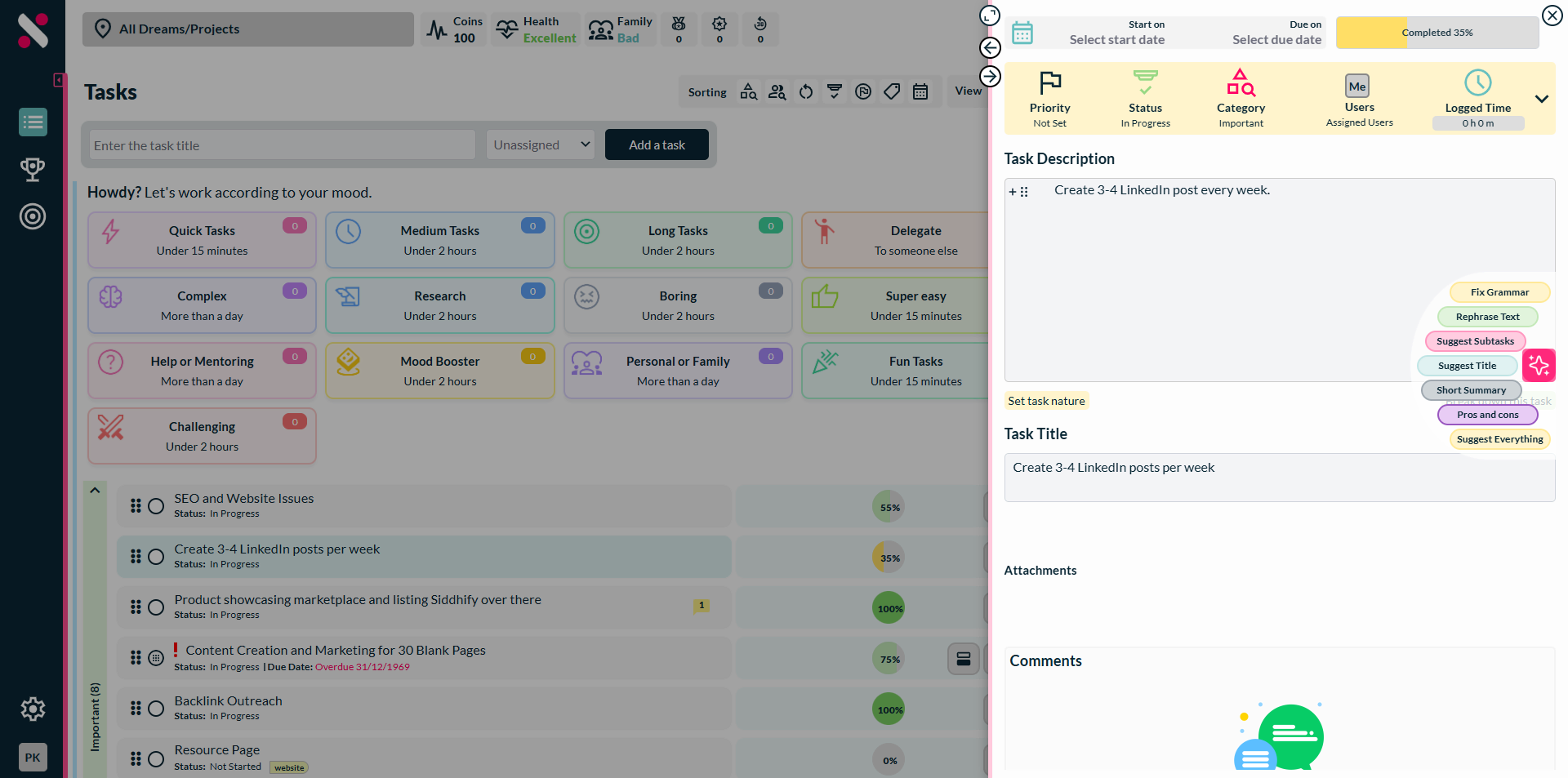
Siddhify goes beyond task management and also handles:
- Scheduling
- Marketing
- Client messaging
It’s like having a full digital operations team, all run by AI.
Try the free trial to see how easy it is to plug into your workflow.
AI Task Manager Comparison Table
Tool | Best For | Key Features | Price Range | Integration Level |
Motion | Daily scheduling | Auto-plans calendar, smart time blocking, automatic task reshuffling | $19–$34/user/month | High |
ClickUp | Team collaboration | AI summaries, task tracking, project templates, meeting notes | Free–$29/user/month | Very High |
Siddhify | Solopreneurs & founders | All-in-one AI automation: tasks, client CRM, scheduling, and marketing | Free-$7/user/month | High |
Notion AI | Knowledge & task management | AI-powered note-taking, task creation, document generation | $10/month (add-on) | Medium |
Todoist AI | Lightweight productivity | Smart task suggestions, simple UI, goal tracking | Free–$8/user/month | Medium |
Note: Prices vary based on billing cycles and feature tiers. Always check each platform’s website for the latest offers or free trials.
Real User Quotes: What People Say About AI Task Managers
Motion
“Motion has helped me reclaim hours each week. I don’t waste time deciding what to do next—it already knows.”
— Startup Founder (via Motion.io case study)
ClickUp
“With the addition of ClickUp AI, I’m more efficient than ever! It saves me 3x the amount of time spent previously on project management tasks.”
— Mike Coombe, Managing Director at MCM Agency
Siddhify
“Siddhify is like having a digital team. It takes care of my tasks, client scheduling, and even sends reminders—without me lifting a finger.”
— Freelance Coach, via Siddhify user feedback
Notion AI
“Notion AI helps me summarize messy meeting notes and turn them into action items in seconds. It’s been a total game-changer.”
— Product Manager, Reddit
Todoist with AI
“I use Todoist every day, and with AI suggestions, it feels like it knows my brain. Planning my week has never been this easy.”
— Solo Entrepreneur, Product Hunt
2025 Trend Spotlight:
In 2025, AI-powered alignment tools like Siddhify are rapidly replacing outdated spreadsheets and static reports. These intelligent dashboards give leadership teams real-time visibility into strategic KPIs, team progress, and cross-functional collaboration. For small businesses, this means fewer meetings, faster pivots, and smarter decisions.
Platforms that combine goal tracking, communication, and execution insights, all in one place, are emerging as critical tools for agile strategic alignment.
According to G2, 64% of small businesses plan to invest in AI-based performance tools in 2025.
Challenges and Controversies
AI task managers are awesome, but they’re not perfect.
Here are a few things to watch out for:
1. Data Privacy
AI tools need access to your inbox, calendar, and files. That can be risky if the platform doesn’t protect your data.
Siddhify, for example, uses encrypted storage and strict access rules. Still, always review security policies before signing up.
2. Bias in AI Decisions
AI can sometimes favor certain users or make unfair suggestions based on the data it was trained on.
That’s why it’s important to keep humans involved and check the system regularly.
3. Too Many Notifications
AI reminders are helpful, until they aren’t. If alerts aren’t set up right, they can become distracting.
Customize your alerts to match how you work best.
4. Technical Limits
Some AI tools can’t handle complex projects that span months.
They might forget long-term context or give wrong advice in certain situations. So, while AI is great for daily tasks, strategic planning still needs human input.
Pros & Cons: Who It’s For
Pros of Using AI Task Managers
- Saves time and boosts productivity
- Reduces burnout
- Improves team collaboration
Cons
- Learning curve
- May need data access permissions
- Sometimes over-suggests tasks
Who Should Use AI Task Managers?
- Solopreneurs and freelancers
- Small teams under 20
- Coaches and consultants
- Project managers in remote teams
FAQs About AI Task Managers
Q1: What is an AI task manager?
A smart tool that uses AI to organize your work, like creating tasks, setting schedules, and assigning jobs.
Q2: How do AI task managers help you get more done?
They take care of the boring stuff like rescheduling meetings or tracking tasks, so you can focus on real work.
Q3: Are they good for small businesses?
Yes! Research shows they help teams finish more work, reduce stress, and even improve profits.
Q4: What are the best AI task tools right now?
Top picks: Motion, ClickUp, Notion AI, Todoist, and Siddhify.
Q5: Can AI tools really boost productivity?
Definitely. Real-world studies show huge gains in task speed, focus, and overall output.
Conclusion: AI as Your Digital Co-Manager
AI task managers are more than just “nice-to-have” tools; they’re becoming essential for growing businesses and busy teams.
They take care of scheduling, organizing, and prioritizing, so you can focus on the work that really matters.
Whether you’re using a tool like Motion or the all-in-one platform Siddhify, the goal is the same:
👉 Work smarter, not harder.
But remember: AI works best when paired with human judgment. Let it handle the busywork while you lead with creativity and strategy.
Ready to get started?
Try Siddhify for free and discover what modern productivity feels like with AI by your side.
Want to Learn More About AI in Tech?

About the Author
Experience the freedom of joining
Siddhify at no cost, always.
Table of Contents
AI Task Managers and How They Boost Productivity
- What Is an AI Task Manager?
- Core Features of AI Task Managers
- You Asked, We Answer
- How AI Task Managers Improve Productivity
- Best AI Task Management Tools for Small Teams
- AI Task Manager Comparison Table
- Real User Quotes: What People Say About AI Task Managers
- Challenges and Controversies
- FAQs About AI Task Managers
- Conclusion: AI as Your Digital Co-Manager
- Want to Learn More About AI in Tech?
Your goals deserve a system as
ambitious as you are.
Join thousands of entrepreneurs and professionals managing their work and life in one place — with the motivational power of gamification built right in.
⚡ Try Siddhify Free TodayNo credit card required · Set up in minutes