

10 Best Project Scheduling Software in 2026: Real ROI Data & a Buyer’s Guide for Agencies

Projects often slip. Deadlines stretch. Costs grow fast.
For digital and web agencies, weak schedules can mean missed billable hours, stressed-out teams, and unhappy clients. Just one late campaign or website launch can wipe out months of profit.
That’s why project scheduling software matters. It helps agencies plan timelines, manage task dependencies, and balance workloads. With the right tool, teams get a clear view of resources, project use, and delivery dates.
In this guide, you’ll learn:
- What project scheduling software does (and doesn’t do)
- How it protects profits and ensures on-time delivery
- The 10 best scheduling tools in 2026 (with features, pricing, and ROI data)
- How to pick the right tool for your agency
Why Project Scheduling Software Matters for Agencies
In agency life, time really is money. Research from McKinsey indicates that project delays can result in a 30% to 50% reduction in profits.
Agencies often manage multiple clients simultaneously. Some projects are fixed-bid, others run on retainers. Each one has its own scope and deadlines. Without clear scheduling, even skilled teams end up burned out or underutilized.
Here are common pain points agencies face:
- Workload problems → Designers overworked while strategists wait with no tasks
- Lost billable hours → Missed tracking on rework and delays
- Unhappy clients → “Why is my project late?” messages that hurt trust
📊 Stat: Large projects take 20% longer and run 80% over budget.
That’s why scheduling tools are not “nice extras.” They’re shields that protect profits and client trust.
What is Project Scheduling Software (and Key Features for Agencies in 2026)?
Core Features:
- Gantt charts and timeline views
- Dependency management
- Workload planners to prevent burnout
- Resource leveling across projects
- Baselines to compare planned vs. actual results
What it’s not: a simple checklist app. A task list won’t handle client approvals, change requests, or visibility across multiple projects.
⚡ Pro Tip: If your agency handles both retainer and one-off projects, choose a tool that supports both Agile and Waterfall scheduling.

Agency Scheduling Framework: The Operating System
For scheduling to work, agencies need a repeatable system:
Plan → Forecast capacity & demand
Look at future campaigns, team availability, and timelines.
Schedule → Map dependencies with buffers
Agile works well for fast-moving campaigns. Waterfall fits larger builds. Many agencies mix both.
Flow → Manage work in progress (WIP)
Use Kanban boards to track tasks, follow SLAs, and avoid bottlenecks.
Review → Track results & utilization
Compare baselines to actual performance. The review team uses and refines forecasts.
📌 According to PMI Pulse 2026, hybrid scheduling dominates agency workflows.
People Also Ask
Is project scheduling software worth it for small businesses?
Yes. Even small teams save time and reduce overtime. Tools like Siddhify and TeamGantt are affordable options.
Can scheduling reduce burnout in agencies?
Absolutely. Workload planners and resource leveling prevent overload.
What’s the best free project scheduling software?
ClickUp, Asana, and Notion all have free plans with timeline views.
How does scheduling improve client satisfaction?
Clear timelines and proactive updates build trust and improve retention.

The 10 Best Project Scheduling Software for 2026
Each tool is reviewed for features, best use cases, pros/cons, and pricing.
- Features: Grid + Gantt view, dashboards, automations
- Best for: Large digital agencies
- Pros: Customizable, strong integrations
- Cons: Steep learning curve
- Pricing: $7+ / user / month
- Features: Gantt, workload planner, docs, chat
- Best for: Teams needing tasks + scheduling in one
- Pros: Flexible, affordable
- Cons: Can feel cluttered
- Pricing: Free / $10+ per user
- Features: Workload charts, resource scheduling, reports
- Best for: Agencies with multiple clients
- Pros: Great workload visibility
- Cons: Setup takes time
- Pricing: Free / $9.80+ per user
- Features: Drag-and-drop Gantt, dependencies
- Best for: Agencies needing simple scheduling
- Pros: Easy onboarding
- Cons: Limited beyond scheduling
- Pricing: $19+ / month
- Features: Timeline, client approvals, workload tracking
- Best for: Agencies with review-heavy cycles
- Pros: Polished, collaboration-first
- Cons: Limited deep scheduling features
- Pricing: Free / $10.99+ per user
📌 Case Study: Asurion cut project start times by 37% using Asana automation.

- Features: Gantt, critical path, resource leveling
- Best for: Engineering and construction projects
- Pros: Industry standard, powerful
- Cons: Expensive, complex
- Pricing: $30+ / user / month
- Features: Daily task planning, project scheduling, workload planner, AI insights
- Best for: Agencies needing clarity from daily tasks to project timelines
- Pros: Bridges productivity tools with scheduling apps
- Cons: Newer in the market, growing fast
- Pricing: Free plan/ $7/ user/ month
👉 Siddhify helps agencies balance billable hours and workloads, making it easy to stay on top of both daily focus and team scheduling.
- Features: Timeline, databases, templates
- Best for: Agencies wanting flexibility
- Pros: Customizable, doubles as a knowledge hub
- Cons: Not built only for scheduling
- Pricing: Free / $8+ per u
- Features: AI scheduling, automated timelines
- Best for: Agencies testing AI tools
- Pros: Saves time with automation
- Cons: Less reliable for traditional PMs
- Pricing: $19+ / month
- Features: Resource scheduling, cost tracking, dashboards
- Best for: Agencies watching profit margins
- Pros: Strong ROI tracking
- Cons: Less intuitive for small teams
- Pricing: $25+ / user / month
📌 Case Study: RheinBrücke IT Consulting saw 25% more on-time projects using Celoxis.
Project Scheduling Software Comparison Table
Tool | Gantt Charts | AI Scheduling | Dependencies | Workload View | Integrations | Price (per user/month) |
Smartsheet | Yes | No | Yes | Yes | Extensive | $7+ |
ClickUp | Yes | Limited | Yes | Yes | Wide | Free / $10+ |
Wrike | Yes | No | Yes | Yes | Wide | Free / $9.80+ |
TeamGantt | Yes | No | Yes | Limited | Moderate | $19+ |
Asana | Yes | No | Yes | Yes | Wide | Free / $10.99+ |
MS Project | Yes | No | Yes | Yes | Moderate | $30+ |
Siddhify | Yes | No | Yes | Yes | Moderate | Affordable, flexible |
Notion | Yes | No | Yes | Yes | Wide | Free / $8+ |
Motion | Yes | Yes | Yes | Yes | Limited | $19+ |
Celoxis | Yes | Limited | Yes | Yes | Moderate | $25+ |
How to Read This Comparison Table
- Gantt Charts → Needed for multi-stage project timelines
- AI Scheduling → Adaptive tools like Motion use AI to save time
- Dependencies → Links tasks so delays ripple automatically
- Workload View → Helps with resource scheduling & balance
- Integrations → Key for agencies with complex tool stacks
- Price → Range from free to enterprise-grade
👉 Match your workflow (Agile vs. Waterfall) to the features that protect profit and billable hours.
Project Scheduling ROI Case Studies in Agencies
ROI is measurable with scheduling:
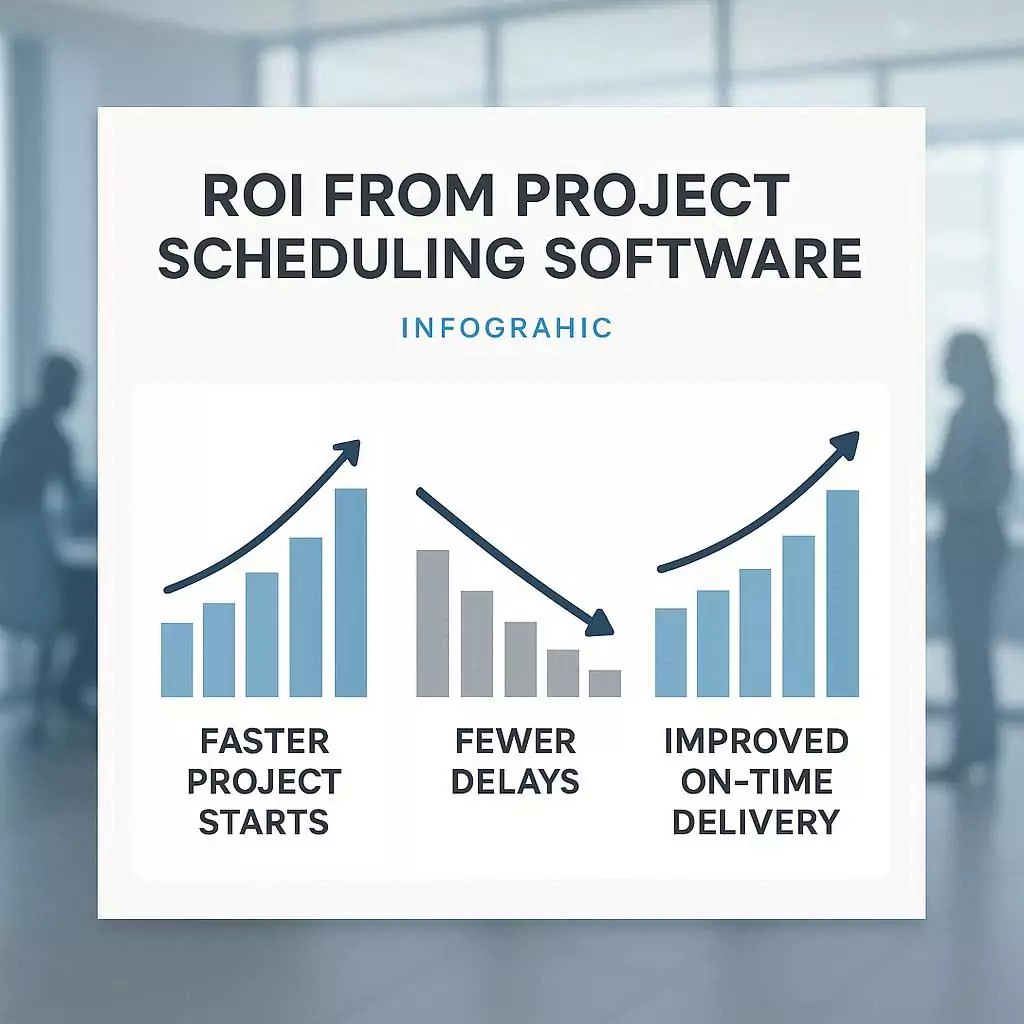
- Asurion (Asana): 37% faster project starts
Teams reduced manual planning steps and automated recurring tasks, speeding up delivery. - Palo Alto Networks (Asana): Lower planning costs, better teamwork
Improved task visibility and centralized collaboration cut redundant meetings and planning time. - RheinBrücke (Celoxis): 30% fewer delays, 25% more on-time delivery
Real-time resource tracking allowed managers to reallocate staff quickly and prevent bottlenecks.
Expert Insights on Project Scheduling Software
- Brian Tracy, author and motivational speaker, emphasizes the importance of planning in project management:
“Planning saves time. Many people feel the need to jump right in as if a project is a pool and there’s no point in slowly wading in. But that’s foolish. Planning sets up a project for success.”
- Henry Gantt, the creator of the Gantt chart, highlights the need for structured planning:
“We cannot drive people; we must direct their development.”
- Joy Gumz, project management expert, underscores the role of project management in organizational progress:
“Operations keep the lights on, strategy provides a light at the end of the tunnel, but project management is the train engine that moves the organization forward.”
- The Digital Project Manager notes the practical benefits of project scheduling tools:
“Project scheduling software is designed to help project managers create accurate timelines, allocate resources efficiently, and keep project delivery on track. It solves common pain points like shifting deadlines, resource bottlenecks, and unclear task dependencies—giving you more control and visibility over every phase of the project.”
How to Pilot Project Scheduling Software in 30 Days
- Assign roles → Scheduling owner, finance reviewer
- Start small → Migrate 1–2 projects
- Measure success →
- Forecast error ≤10%
- On-time rate +15%
- Billable leakage down
- Forecast error ≤10%
- Decide go/no-go → Review results and decide
⚡ This ensures smooth adoption without major disruption.
RFP & Evaluation Checklist for Project Scheduling Software
Use this checklist to make sure you pick a tool that delivers long-term ROI.
Must-Haves
- Dependencies between tasks clearly tracked
- Workload heatmaps to balance team resources
- Baselines for planned vs. actual performance
- Client approvals and review workflows
Nice-to-Haves
- AI-powered scheduling and smart suggestions
- “What-if” simulations to test different scenarios
- Audit trails to track changes and approvals
FAQs
What’s the difference between project scheduling tools and project management software?
Scheduling tools focus on timelines, dependencies, and workloads. PM tools add collaboration and reports.
Which tool is best for agencies?
Smartsheet and Wrike suit large agencies, while Siddhify blends daily planning with scheduling.
How do Gantt charts, Kanban, and timelines work together?
Gantt shows dependencies, Kanban manages workflows, and timelines give an overview.
What’s the difference between resource scheduling and capacity planning?
Resource scheduling manages current work. Capacity planning forecasts future demand.
Is construction scheduling software different from agency tools?
Yes. MS Project is built for construction and engineering. Agency tools focus on client deliverables.
Can AI improve schedule accuracy?
Yes. Tools like Siddhify and other AI-based apps in 2026 help reduce missed deadlines.
Conclusion
Strong scheduling is not about creating visually appealing Gantt charts. It’s about protecting profits, utilizing resources efficiently, and fostering client trust.
With the right project scheduling software, agencies can cut overruns, deliver on time, and keep teams balanced.
👉 Test Siddhify for 30 days and uncover how much hidden revenue is waiting inside your project timelines.
📌 Related Reading:

About the Author
Experience the freedom of joining
Siddhify at no cost, always.
Table of Contents
10 Best Project Scheduling Software in 2026: Real ROI Data & a Buyer’s Guide for Agencies
- Why Project Scheduling Software Matters for Agencies
- What is Project Scheduling Software (and Key Features for Agencies in 2026)?
- Agency Scheduling Framework: The Operating System
- People Also Ask
- The 10 Best Project Scheduling Software for 2026
- Project Scheduling Software Comparison Table
- Project Scheduling ROI Case Studies in Agencies
- Expert Insights on Project Scheduling Software
- How to Pilot Project Scheduling Software in 30 Days
- RFP & Evaluation Checklist for Project Scheduling Software
- FAQs
- Conclusion